Short answer Press Sync now first. If it keeps drifting, the cause is buffering on one side, not the party.
A watch party that drifts feels broken in a specific, irritating way: nothing is obviously wrong, you are just watching slightly different films. The good news is that the causes are a short list, and you can identify which one you have in about thirty seconds — the symptoms are genuinely distinguishable if you know what to look for.
First: how much drift is normal
The party does not try to keep both players on the identical millisecond, because that would mean constantly nudging two players that are both fine. It corrects when the two sides are more than roughly half a second apart — about 0.55 seconds, in practice.
So a gap you cannot perceive is working as designed. What is not normal is a gap that grows, a gap of several seconds, or a gap that keeps coming back after a correction. Those are the three shapes worth diagnosing.
| Shape | Almost always |
|---|---|
| A fraction of a second, stable | Normal — this is the tolerance |
| Grows steadily the longer you watch | One side is stalling on buffering |
| One sudden jump, then fine | An ad break, or somebody scrubbed |
| Repeated corrections that never settle | A tab was backgrounded, or the connection is flapping |
| One side frozen entirely | That player lost its connection — check the status pill |
The six checks, in order
-
Press Sync now
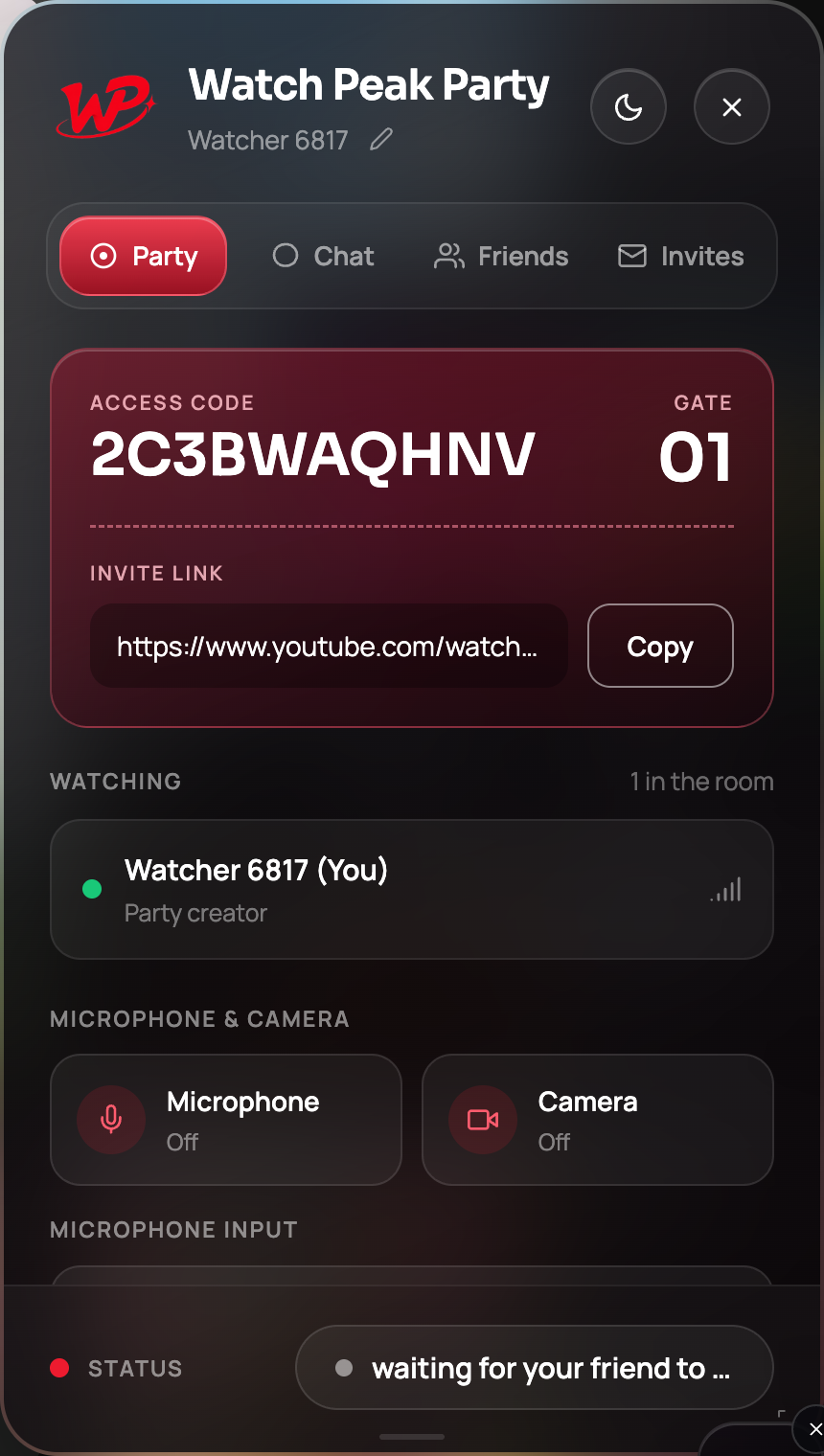
Always this first, and understand what it does: on the side that presses it, it means put me where they are. It never drags the other person to your position. So the person who is behind is the person who should press it.
Sync now pulls you to them. It is one-directional on purpose. -
Read the status pill
At the foot of the panel. party connected means the room is healthy and the problem is playback. Amber means the room has lost its connection, and no amount of syncing will help until it is back — re-open the invite link to rejoin the same room.
The pill is the first thing to read, and the thing most people never notice. -
Ask whether one of you is buffering
This is the most common cause by a wide margin. A player that stalls falls behind, and the correction pulls it forward into the part it has not downloaded yet, so it stalls again. That is the "drift that keeps coming back" shape.
The fix is on the stalling side, not in the party: lower the quality there. Quality is per-viewer — nothing about a party forces you both onto the same bitrate, and one person watching at 720p while the other watches at 4K is completely fine.
-
Check whether one of you is in an ad break
Ads are inserted per viewer on YouTube, Hulu, Crunchyroll's free tier and Prime. One of you can be in a break while the other is in the film. The extension recognises the ad states it can see and does not treat an ad as a jump, but the two of you are genuinely at different points until the break ends.
Nothing to fix. Wait for the break, then press Sync now.
-
Bring both tabs to the front
Chrome throttles timers in background tabs, and some players reduce themselves to a slideshow when they are not visible. A party where one person has the tab behind their email client will drift, and it will look inexplicable from the other side.
Keep the watching tab foregrounded. If you need the panel while doing something else, that is what collapsing it to the badge is for.
-
Rejoin the room
If none of the above applies, leave and re-open the invite link. It rejoins the same room and re-syncs from scratch, which clears any stuck state on either side. This takes about five seconds and is much faster than continuing to reason about it.
It is fixed when a pause on either side stops the other within about a second, and the gap does not start growing again over the next few minutes.
Why the correction sometimes seems to do nothing
Occasionally you press Sync now, nothing visibly happens, and then a second later it does. That is not a bug and it is worth understanding, because it stops you pressing it five times.
A position can only be applied to a player that will accept one. A player that has metadata but nothing buffered will either ignore a position or — on Prime Video specifically — fail outright and show an error. So rather than forcing it, the extension asks, and asks again shortly after if the player was not ready. The retry is why it resolves a moment later instead of immediately.
On Prime Video, consecutive jumps are deliberately spaced about a second apart, because Prime tolerates one seek and errors on a rapid run of them. See the Prime Video guide.
The case that cannot be fixed
Live streams. A live stream has no shared timeline — the position is whatever each viewer's edge server hands them, and two viewers are routinely tens of seconds apart before anything tries to synchronise them. There is no agreed position to converge on, so there is nothing for a party to correct towards.
Watch the replay together instead; a full replay is an on-demand title with a real timeline. During a live event, the chat, voice and camera all still work — you just cannot promise the same frame.
Common questions
How much drift does the party tolerate?
Roughly half a second. Beyond about 0.55 seconds it corrects; below that it leaves both players alone rather than nudging two players that are both fine.
Does Sync now affect the other person?
No. It pulls you to their position and never moves them. Whoever is behind should press it.
Why does one side keep falling behind?
Almost always buffering. Lower the quality on that side — quality is per-viewer and a party does not force you onto the same bitrate.
Can we sync a live stream?
No. A live stream has no shared position. Chat, voice and camera work, but the same frame cannot be promised.
Does having the tab in the background cause drift?
Yes. Chrome throttles background tabs and some players slow themselves down when hidden. Keep the watching tab in front.
One link. Same second. No screen sharing.
Watch Peak Party keeps YouTube, Netflix, Prime Video, Crunchyroll, Disney+, Hulu, HBO Max and JioHotstar in sync — with chat, voice and video built in.
Add to Chrome