Short answer Read Site access before Permissions: where an extension may run tells you more than what Chrome warns about.
Installing a browser extension is the largest amount of trust most people give a piece of software without noticing. It runs inside the browser where you bank, work and read your email — and the dialog that asks for consent says something vague like "read your browsing history", which sounds alarming for the extensions that are fine and reassuring for the ones that are not.
Check any extension in four steps
The good news is that Chrome will tell you exactly what an extension can reach. This section shows where to look, using ours as the worked example — the method applies to any extension you are unsure about.
-
Open chrome://extensions and press Details
Type chrome://extensions in the address bar, find the extension, and press Details. This page — not the Web Store listing — is the authoritative statement of what is installed in your browser right now.
-
Read the Permissions list
Permissions is what the extension can do to your browser, in Chrome's own words. Watch Peak Party declares two: Read your browsing history and Display notifications.
The first is Chrome's fixed phrasing for the
tabspermission. It lets an extension see the URL and title of open tabs — which is how an invite link ends up in the tab that has your video in it, rather than a random one. It is not access to your history database, and Chrome uses the same sentence either way. That is precisely the ambiguity worth knowing about.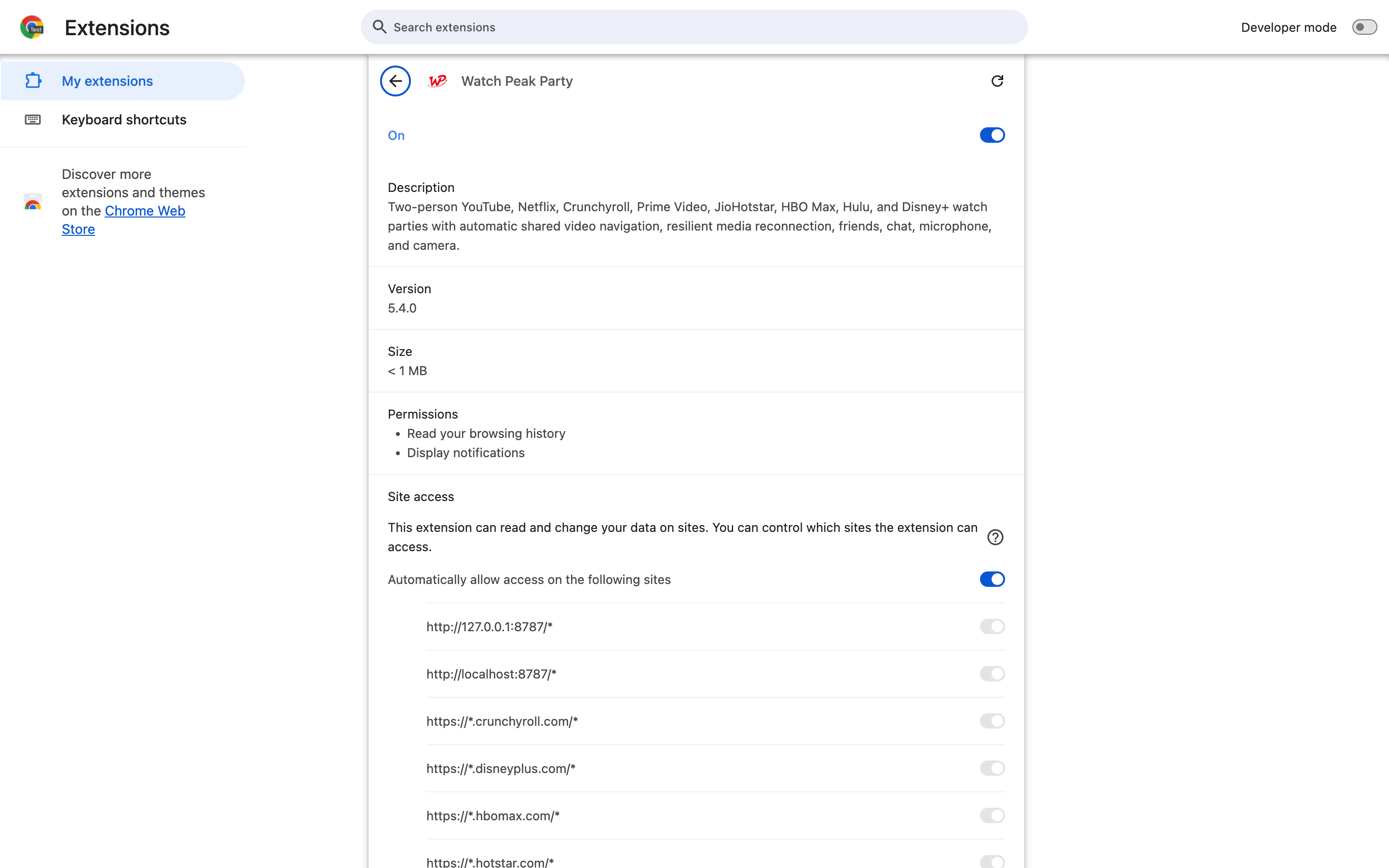
Two permissions, and a version number. Compare this against what the extension claims to do — a video tool asking for cookies or webRequest has some explaining to do. -
Read the Site access list
Site access is the one that matters most, and it is the one people skip. It says where the extension is allowed to run. An extension that lists eight named streaming domains cannot touch your bank; an extension set to On all sites can read every page you open, whatever it says it is for.
Watch Peak Party's list is the eight services it supports, its own domain, and Google's sign-in endpoints for the optional friends feature. There is no wildcard entry.
A named list, one row per domain. This is the section to read first on any extension you are unsure about. -
Narrow it if you want to
Every row in that list has its own switch, and the section above it offers On click — the extension then does nothing until you press its toolbar icon. If you only ever run parties on one service, switching the rest off costs you nothing.
You have checked it properly when you can name, without scrolling, the sites the extension can read and the reason each permission exists. If a permission has no plausible reason, that is the finding — not the absence of a scary warning.
What Watch Peak Party declares, and why
These come from manifest.json in the shipped build. Everything Chrome enforces is in that
file, so it is the honest place to answer this question from.
| Declared | What it is for |
|---|---|
tabs | Open an invite link in the tab that holds the video, and keep the panel attached to the right tab. |
storage | Your display name, the panel's position and size, theme, and the push-to-talk key. |
offscreen | Somewhere to run the voice and video connection while the panel is on a page. Manifest V3 has no background page to do it in. |
notifications | Telling you a friend has invited you when the tab is not in front. |
gcm, alarms | Delivering those invites and keeping the connection alive without polling every few seconds. |
| Eight streaming domains | Where the panel and the playback sync run. One entry per supported service. |
| Google sign-in endpoints | Only used if you sign in for friends and invites. Parties by link work signed out. |
Two things are worth noticing about what is not in that list. There is no
<all_urls>, so the extension is inert on every site that is not named. And there is no
cookies, webRequest or clipboardRead — the three that most often turn a
small utility into a data pipeline.
Site access on a streaming domain does mean the extension can read that page. That is unavoidable: it has to see the player to keep it in sync. What you are actually judging is whether the list of pages is as small as the job requires — and whether the developer will still be there in a year.
You can run a party without an account
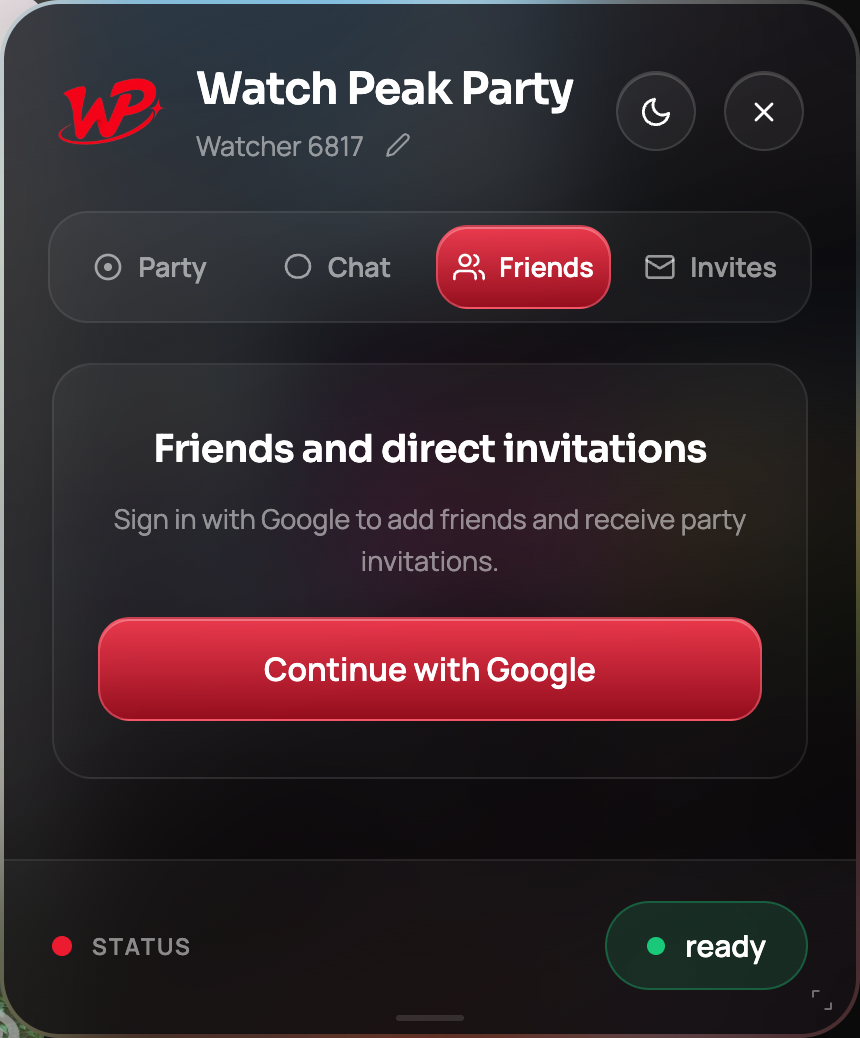
Sign-in exists for one feature: a persistent friends list and direct invites. Starting a party, sending the link, syncing playback and chatting all work without it, which means you can try the whole product before deciding whether to hand over an identity.
What should actually worry you
- Site access on all sites for a tool that only works on video sites. There is no benign version of this.
- Permissions with no matching feature —
cookies,webRequest,debugger,management. Ask what feature needs it; if the listing cannot say, that is the answer. - A sudden ownership change. Extensions get bought, and the update ships silently to everyone. A developer with a real site, a changelog and a support address is worth more than a star rating.
- No way to reach anyone. If nothing on the listing survives being clicked, the extension is not supported, whatever it says.
Common questions
Why does Chrome say the extension can read my browsing history?
That is Chrome's fixed wording for the tabs permission, which lets an extension see the URL and title of open tabs. Watch Peak Party uses it to open an invite link in the right tab and to know which tab holds the video. It is not access to the history database.
Can a watch party extension see my passwords?
An extension can read the pages it has site access to. That is exactly why a short, named site list matters: Watch Peak Party runs on eight streaming domains and its own site, and cannot run on your bank or your email.
Does the extension record my microphone or camera?
Voice and video are peer-to-peer and only run when you turn them on in a live party. Push-to-talk opens the microphone only while the key is held, then closes it again.
What should make me refuse an extension?
Site access on all sites when the job does not need it, permissions with no plausible use, and a developer with no site, no support address and no changelog.
Can I limit an extension to one site?
Yes. On the Details page you can switch individual sites off, or set the extension to run only when you click it.
Eight streaming sites. No wildcards.
Watch Peak Party keeps YouTube, Netflix, Prime Video, Crunchyroll, Disney+, Hulu, HBO Max and JioHotstar in sync — with chat, voice and video built in.
Add to Chrome