Short answer A watch party shares the position in a video; each person still streams their own copy of it.
"Watch party" is used for at least three unrelated mechanisms, which is why advice about them is so contradictory. One re-broadcasts a video to everyone. One puts everyone in the same virtual room with a shared screen. And one leaves everybody streaming their own copy and shares nothing but the position. They have completely different consequences for picture quality, cost and legality.
The three things called a watch party
| Mechanism | What is transmitted | Consequence |
|---|---|---|
| Screen sharing on a call | One person's re-encoded screen | Quality collapses, audio drifts against picture, one connection carries everyone |
| Re-hosting a file | The video itself, from a server | Best quality control, and the one with obvious copyright problems |
| Synchronised playback | A position, a play/pause state, nothing else | Each person streams natively at their own quality; nothing is copied |
Only the third is what this product does, and it is the only one of the three that scales down to an ordinary home connection without ruining the film. The insight is almost annoyingly simple: if you both already have access to the video, you do not need to send each other the video. You need to agree on a number.
What actually crosses the network
In a synchronised party, the messages are tiny and boring. Roughly: I am at 1,472.6 seconds and playing. That is it. A few of those per minute, plus whatever you type.
Which means:
- Picture quality is whatever your own plan and connection give you. One person on a slow line does not degrade anybody else's picture.
- No video passes through anyone's servers — not ours, not each other's. There is no copy to make and none is made.
- Subtitles, audio track and quality stay personal. They are not part of the shared state, which is a feature: you can read subtitles while the other person does not.
- It cannot grant access. If a title is not licensed where your friend is, a party cannot change that. It never had the video to give.
Two people watching their own legitimate streams at the same time is ordinary use. Nothing is redistributed, because nothing is transmitted except a number.
Why it has to be a browser extension
A synchronised party needs to do two things a normal web page cannot: read the current position of a player on somebody else's site, and set it. That is cross-origin access to another site's page, which the browser's security model exists specifically to prevent.
An extension is the sanctioned way to be granted that, per site, with the user's consent — which is exactly why the permission list matters and why we wrote a whole post about reading it. It also explains a constraint people find surprising: both people need the extension. There is no way to synchronise a player you have no access to.
It is also why watch parties are desktop-browser things. There is no extension model on a TV, a console, or most phone browsers.
When a watch party is the wrong tool
Three cases, honestly:
- Live streams and live sport. There is no shared timeline — each viewer's position is whatever their edge server hands them. Watch the replay together instead.
- Somebody watching on a TV or a phone app. An extension cannot get there. This is the most common reason a watch party is not the answer for a particular pair of people.
- Content only one of you can access. A party shares a position, not entitlement. If only one of you has the subscription, you want to be in the same room instead.
What a good one feels like
If you have only used the screen-sharing kind, the bar is worth stating. A synchronised party should:
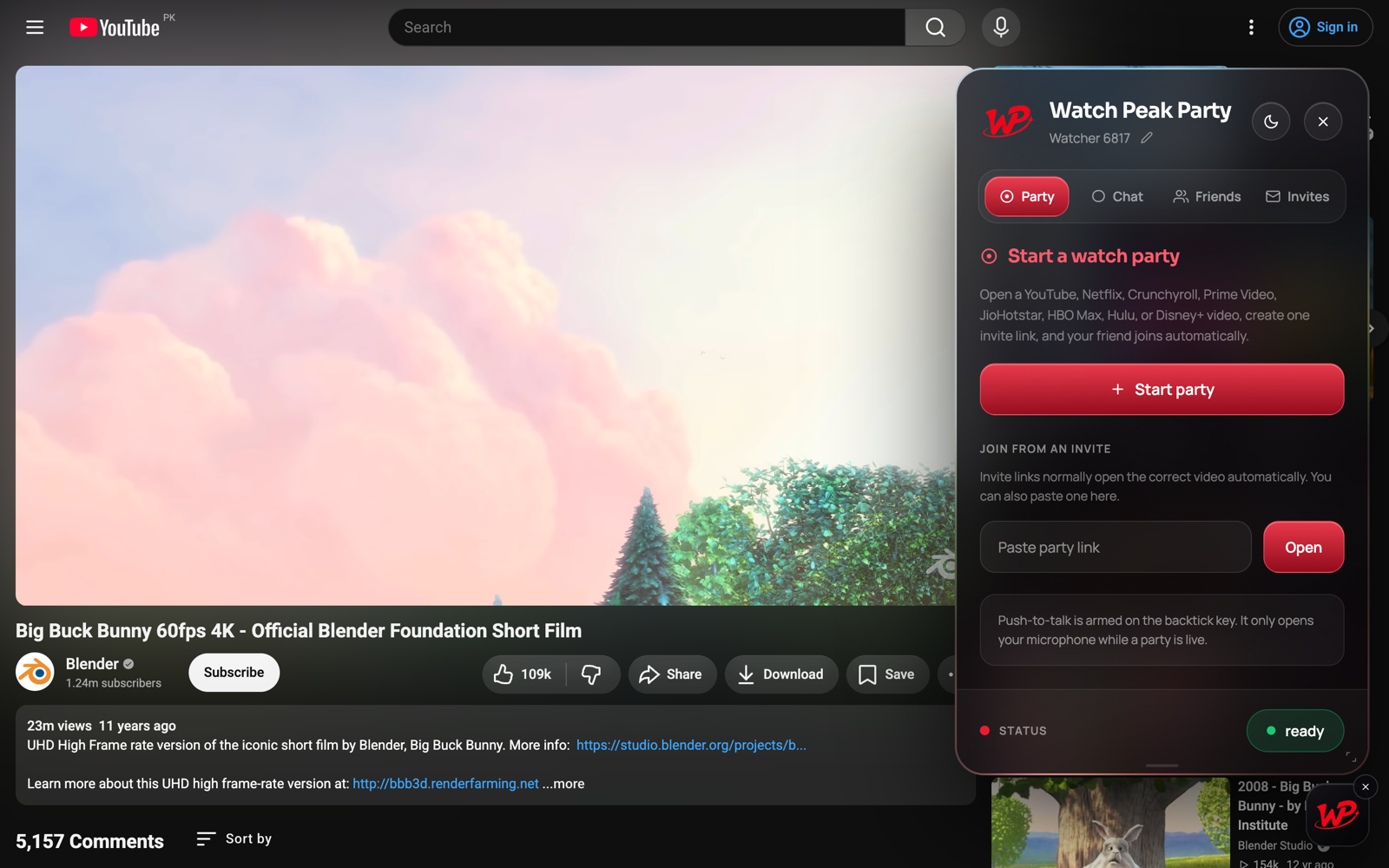
- Take one link and one click to join, with nothing to type.
- Let either person pause — no host to hand over.
- Never resize the video to make room for its own interface.
- Follow you when you change what you are watching, rather than ending.
- Correct small drift by itself, and give you one button for the rest.
Common questions
Is a watch party the same as screen sharing?
No. Screen sharing re-encodes and transmits one person’s screen. A watch party transmits only the position in a video that both people are streaming themselves.
Does a watch party use a lot of data?
The party itself uses almost none — the messages are tiny. You use whatever the video normally uses. Voice and camera add to that.
Do both people need a subscription?
Yes, to whatever you are watching. A party shares a timeline, not access.
Is watching together like this allowed?
Two people watching their own legitimate streams at the same time is ordinary use. Nothing is copied or redistributed.
Can I run a watch party on my TV?
No. It needs a Chromium desktop browser, because that is where extensions run.
One link. Same second. No screen sharing.
Watch Peak Party keeps YouTube, Netflix, Prime Video, Crunchyroll, Disney+, Hulu, HBO Max and JioHotstar in sync — with chat, voice and video built in.
Add to Chrome