Short answer A sidebar shrinks the video; a floating panel does not, and can be dragged or collapsed away.
Most watch-party tools put their chat in a sidebar, and it is the obvious choice: sidebars are easy to build, they never overlap anything, and every messaging product looks like one. They also make the video smaller, and for a product whose entire purpose is watching something properly, that is a strange trade to make.
What a sidebar actually costs
A sidebar is width, and on a video page width is the player. A 320-pixel panel on a 1440-pixel window takes over a fifth of it. Because video is letterboxed to an aspect ratio, losing width loses height too — so a fifth of the width costs you well over a fifth of the picture area.
It is worse than the arithmetic suggests, because the page reflows. The site's own layout re-runs, controls move, and on some services the player re-negotiates its quality for the new size. You have not just made the film smaller; you have made it a slightly different film.
| Sidebar | Floating panel | |
|---|---|---|
| Player width | Reduced | Unchanged |
| Page reflow | Yes | None |
| Can be moved out of the way | No — it is the layout | Drag it anywhere |
| Can be dismissed mid-scene | Not without losing it | Collapses to a badge, one click |
| Behaviour in fullscreen | Usually vanishes or forces you out of fullscreen | Stays over the video |
And what floating costs, honestly
Floating is not free. It genuinely covers part of the picture, and it has to solve three problems a sidebar gets for nothing:
- It is in the way. Answer: drag it. The position persists, so you solve it once.
- It is the wrong size. Answer: resize from the corner, and double-click the handle to reset.
- Sometimes you want it gone entirely. Answer: click the badge to collapse it. The party keeps running.
Three gestures, and each of them is a thing you do once. Whereas "the film is 20% smaller" is a thing you live with for two hours.
The subtle part: keyboard ownership
A floating panel creates one problem a sidebar does not have, and it is invisible until it bites. Video sites bind single letters to actions — on YouTube k pauses, m mutes, f goes fullscreen. An overlay's text box sits inside that page, so by default every keystroke reaches the page too. Typing "make it dark" would pause, mute and reorganise your evening.
The panel therefore claims keystrokes while it owns them, and releases them when it does not. Sidebars in separate documents get this for free; an overlay has to do it deliberately, and getting it wrong is the single most common bug in this category of extension.
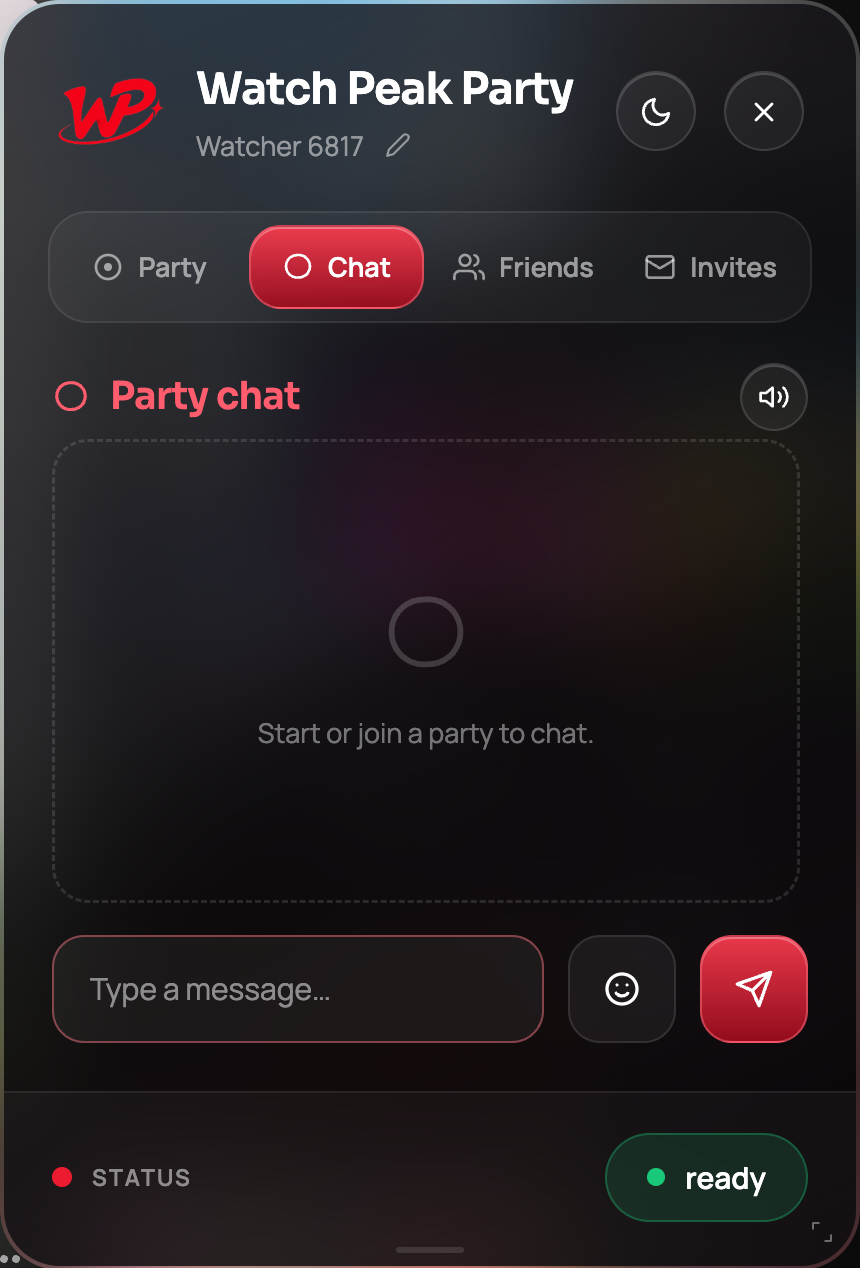
Why it looks the same on every service
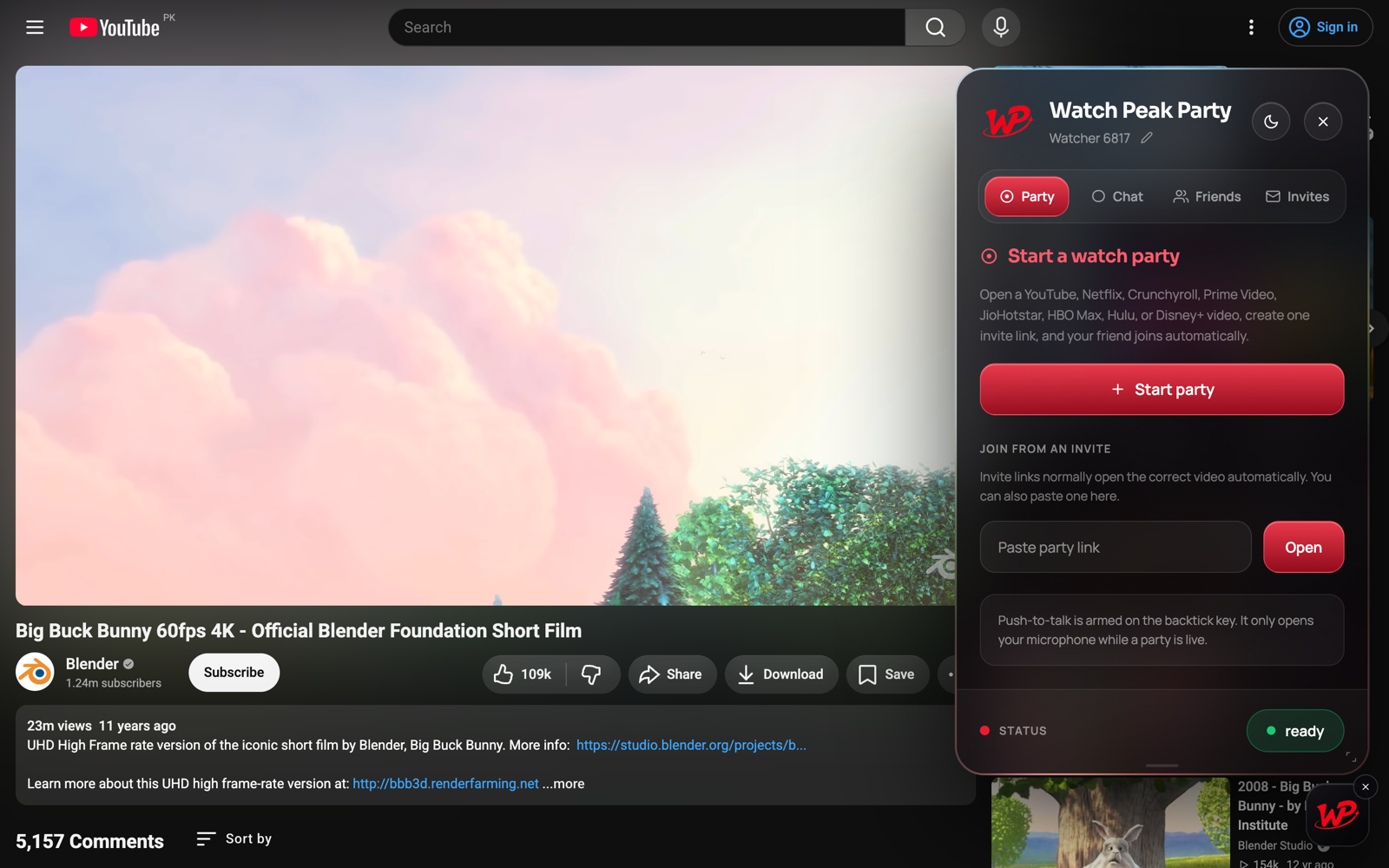
Injecting an interface into someone else's page normally means inheriting their CSS, which is why so many extension overlays look subtly broken on one site and fine on another. The panel is rendered in its own isolated root with its own bundled fonts, so nothing on the host page can reach in and restyle it — and nothing it does can leak out and disturb the page.
That is why the panel in the Netflix screenshots is pixel-identical to the panel in the YouTube ones. It is the same object, deliberately unable to be influenced by where it is standing.
Common questions
Does the floating panel cover the video?
It can, which is why it is draggable, resizable and collapsible to a badge with one click. What it never does is make the video smaller.
Does it work in fullscreen?
Yes, it stays over the video. Many sidebar implementations either vanish or force you out of fullscreen.
Why does typing in the chat not control the video?
The panel claims keystrokes while you are typing and releases them when you are not, so the site’s single-key shortcuts do not fire mid-sentence.
Will the panel look different on different services?
No. It renders in its own isolated root with its own fonts, so the host page cannot restyle it.
One link. Same second. No screen sharing.
Watch Peak Party keeps YouTube, Netflix, Prime Video, Crunchyroll, Disney+, Hulu, HBO Max and JioHotstar in sync — with chat, voice and video built in.
Add to Chrome