Short answer To watch Crunchyroll together in sync, install the Watch Peak Party extension in both browsers, open the episode, click the WP badge and press Start party — or use the Party pill on the series page — then send the invite link. Each of you streams from your own Crunchyroll account at full quality; only the position in the episode is shared, and subtitles stay sharp because nothing is re-encoded.
Anime is the genre watch parties were invented for. Episodes are short enough that timing matters, subtitle reading means nobody wants to talk over the dialogue, and the whole point of watching together is the simultaneous reaction. Getting two Crunchyroll tabs onto the same frame is the only hard part, and it is the part that gets solved once.
What you need
- Chrome 116 or newer, or another Chromium browser — Edge, Brave and Arc all
run it. That floor is
minimum_chrome_versionin the manifest, not a guess. - The extension in both browsers. Playback is kept in step by the extension running on each side, so the person you are watching with installs it too. It is the only thing either of you has to do more than once.
- Your own Crunchyroll access. A party shares the position in a video, never the video itself and never your session. You each sign in to your own account.
- The same episode available to both of you. Simulcast timing and catalogue vary by region; a party cannot unlock an episode that is not out yet where your friend is.
Starting the party
-
Open the episode
An episode URL looks like
crunchyroll.com/watch/<id>, sometimes with a locale in front of it (/en-gb/watch/…) and sometimes with a type segment for music content. The extension parses all of those shapes down to the same episode id, so it does not matter which regional path you arrived through — the room still points at the same episode. -
Or start from the series page
Crunchyroll is one of the two services where a Party pill appears in the page's own action row, beside Start watching. It resolves the episode that button would open and starts the party on that, saving you a click. If the pill is not there — Crunchyroll changes its markup regularly — the draggable badge is always the way in.
-
Click the badge and press Start party
The panel opens on the Party tab.
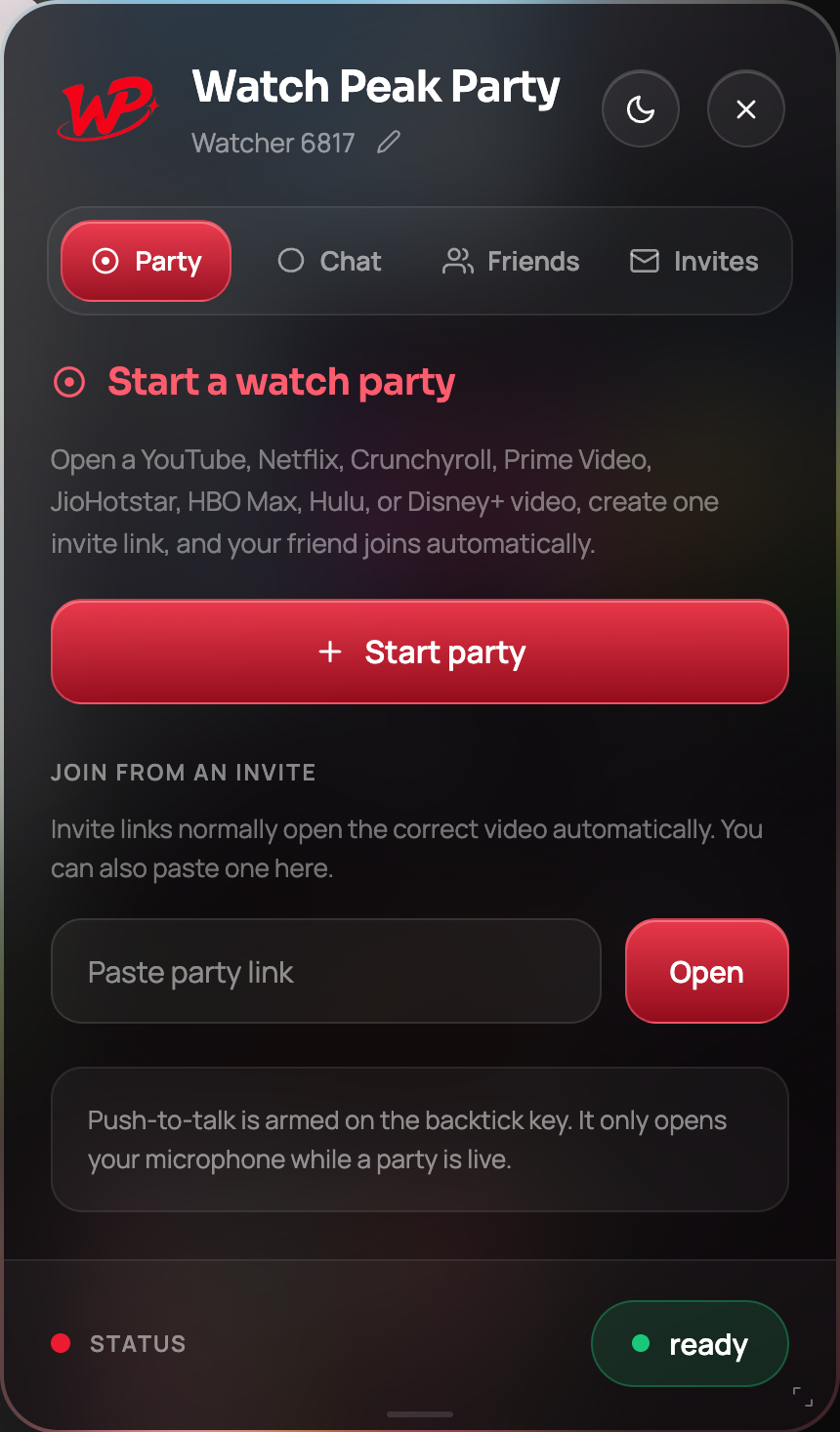
The panel is identical on every service — this is the same button you would press on YouTube. -
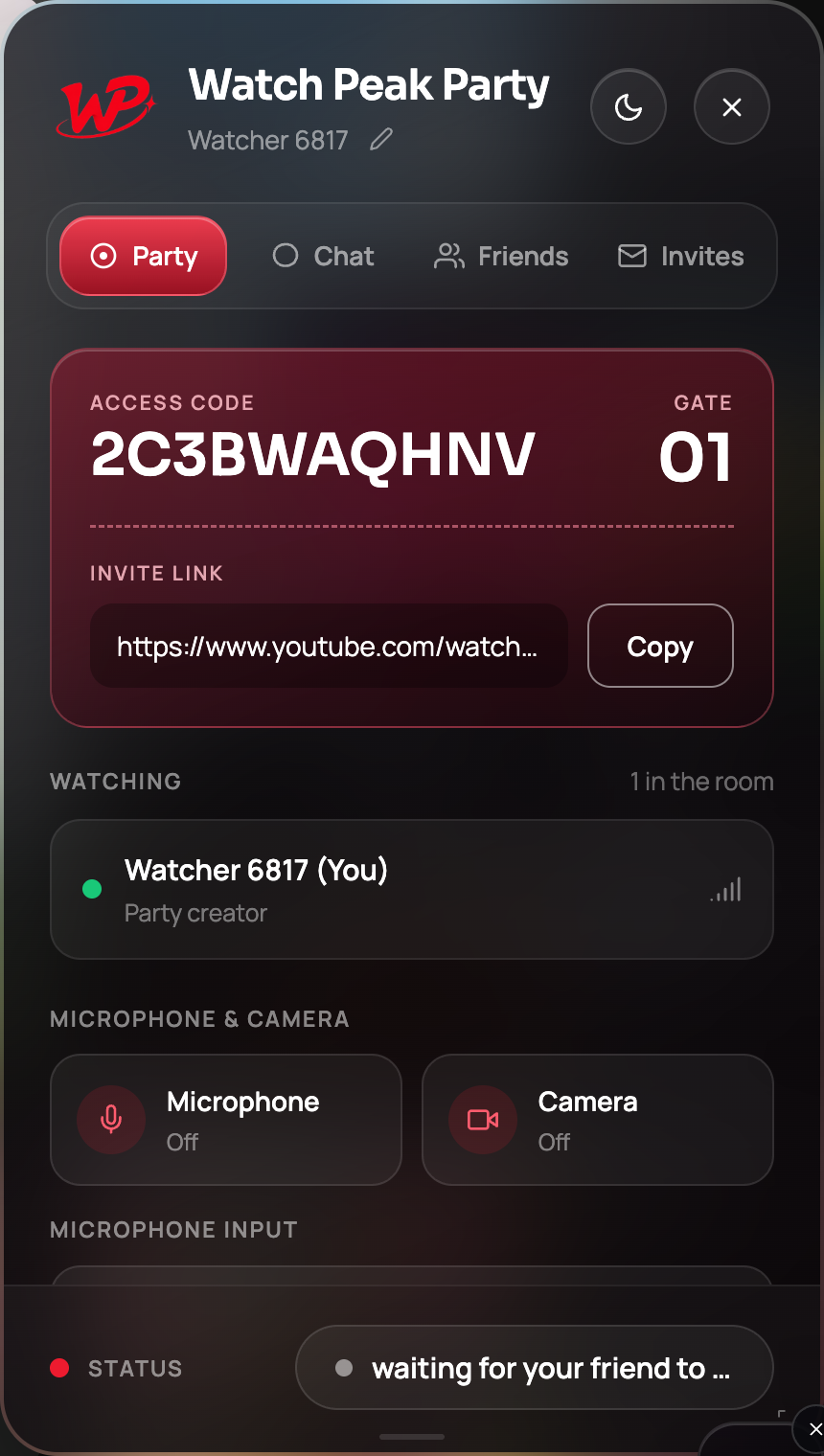
Send the invite link
Copy it, send it, done. Their tab opens the episode and joins the room in one step.
-
Use the Chat tab, not your voice
Subtitled anime is the strongest argument for typed chat. The Chat tab keeps its own keystrokes to itself, so typing does not trigger the player's shortcuts, and a message does not step on a line of dialogue the way talking does.
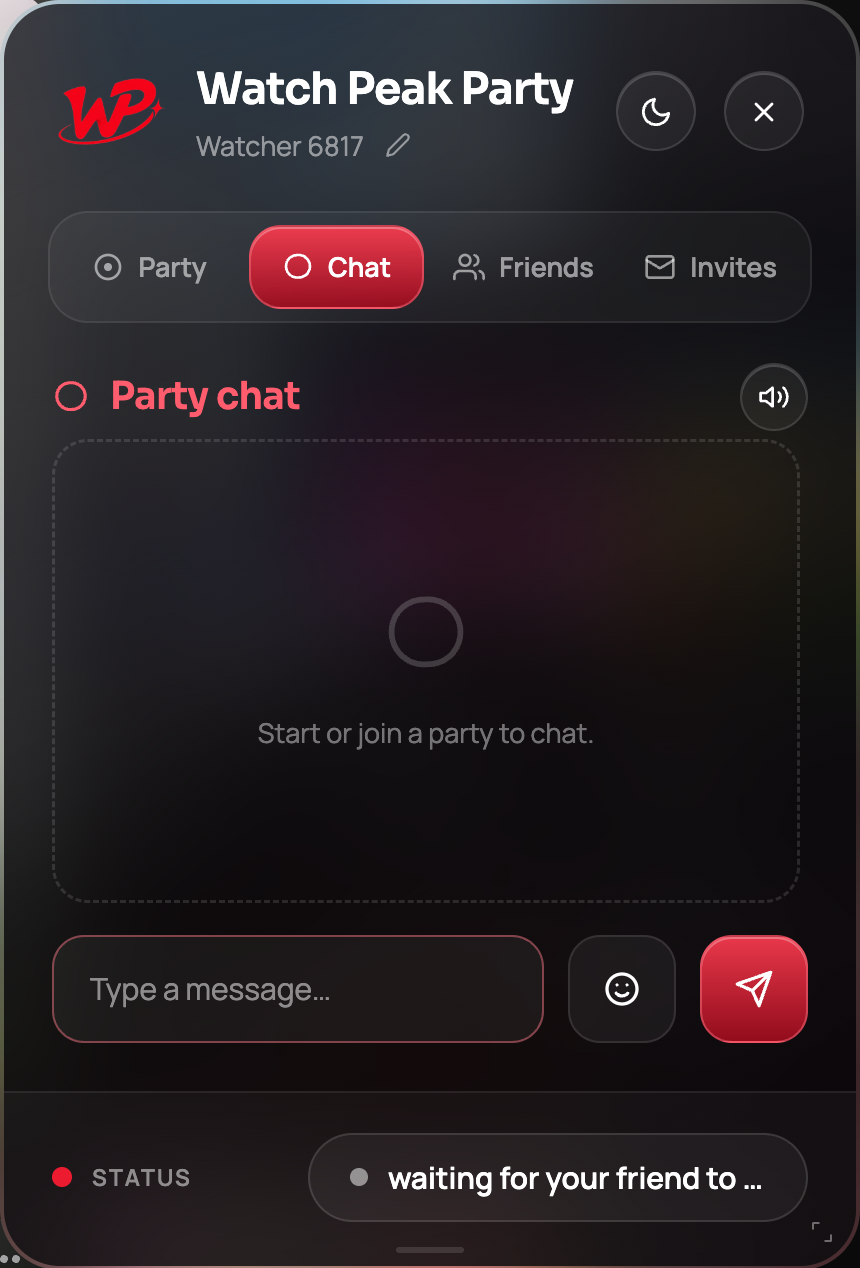
Chat during a live party. Unlimited and free.
You are done when both sides sit on the same frame and a pause on either side stops the other. Crunchyroll's skip-intro button is a jump like any other — pressing it moves both of you.
Why Crunchyroll is a special case technically
Crunchyroll runs its video inside a cross-origin frame. The page you are looking at cannot reach the
<video> element at all — that is a browser security boundary, not an oversight.
The extension handles it by running in every frame and routing playback commands to the frame that actually owns the player, rather than trying to reach across the boundary from the top of the page. The practical consequence for you is: nothing. It syncs like everything else. The reason it is worth knowing is that this is exactly the case a page-level script or a bookmarklet cannot do, which is why watch-party tools for Crunchyroll are extensions.
Crunchyroll's free tier inserts ads per viewer, so breaks may not line up. The party re-converges after each break; if it does not, Sync now is the one-click fix.
Running an actual anime night
A few things that make a multi-episode evening work, learned the boring way:
- Let autoplay carry you. When one side rolls into the next episode the other follows the change and re-syncs, so you do not restart the party between episodes.
- Agree on subtitles or dub before you start. Audio track is per-viewer and is not synced, which is a feature until one of you is watching the dub and quoting lines the other has not heard.
- Use push-to-talk for the reactions. Hold `, say the thing, let go. The microphone closes on release, so the next quiet scene stays quiet.
Common questions
Does it work on the free, ad-supported tier?
Yes. Ads are inserted per viewer so breaks may not line up, and the party re-syncs afterwards.
Do we both need Crunchyroll Premium?
No — but you each need your own access to the episode, whatever tier that is on.
Why is there a Party button on the series page but not everywhere?
The in-page pill ships only where a stable place to put it has been identified — currently Crunchyroll and Netflix. Everywhere else the floating badge is the entry point.
Does the panel cover the subtitles?
It can, and it is draggable and collapsible for exactly that reason. Click the badge to collapse it back to a dot during a talky scene.
One link. Same second. No screen sharing.
Watch Peak Party keeps YouTube, Netflix, Prime Video, Crunchyroll, Disney+, Hulu, HBO Max and JioHotstar in sync — with chat, voice and video built in.
Add to Chrome