Short answer To watch HBO Max together in sync, install the Watch Peak Party extension in both browsers, open the episode in the Max player, press Start party and send the invite link. You each stream from your own Max account, so the picture stays at full quality — the party shares only the position in the episode.
HBO Max has been Max and then HBO Max again, and the domain went with it. That kind of churn is normally where a watch-party tool quietly breaks: it hard-codes one hostname, the service renames, and the link you send lands nowhere. It is worth knowing how the extension handles it, because it tells you something about how it handles the rest.
What you need
- Chrome 116 or newer, or another Chromium browser — Edge, Brave and Arc all
run it. That floor is
minimum_chrome_versionin the manifest, not a guess. - The extension in both browsers. Playback is kept in step by the extension running on each side, so the person you are watching with installs it too. It is the only thing either of you has to do more than once.
- Your own HBO Max access. A party shares the position in a video, never the video itself and never your session. You each sign in to your own account.
- The title in both regions. HBO Max's catalogue and even its brand differ by market; in some countries the same content sits behind a local partner entirely.
The walkthrough
-
Open the episode
Start the title so you are on a
/video/watch/<id>address. The id is a UUID, sometimes followed by a second one — the extension accepts both shapes and reduces them to one canonical room target.
Captured on max.com. Both max.com and hbomax.com are matched by the extension. -
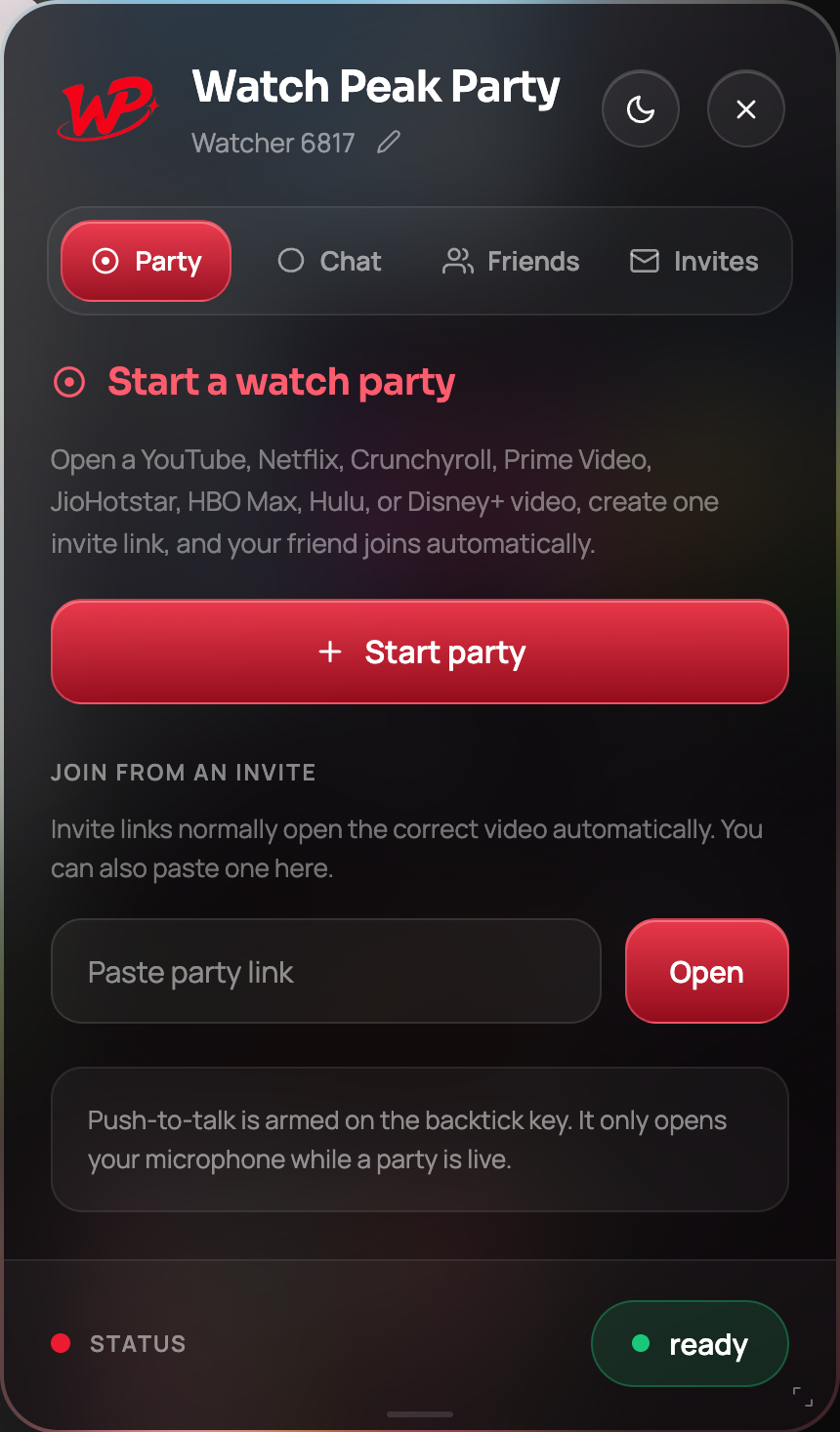
Click the badge and press Start party
Same panel, same button, as on every other service.
-
Send the invite link
Copy and send. Their tab opens the same episode and joins the room.
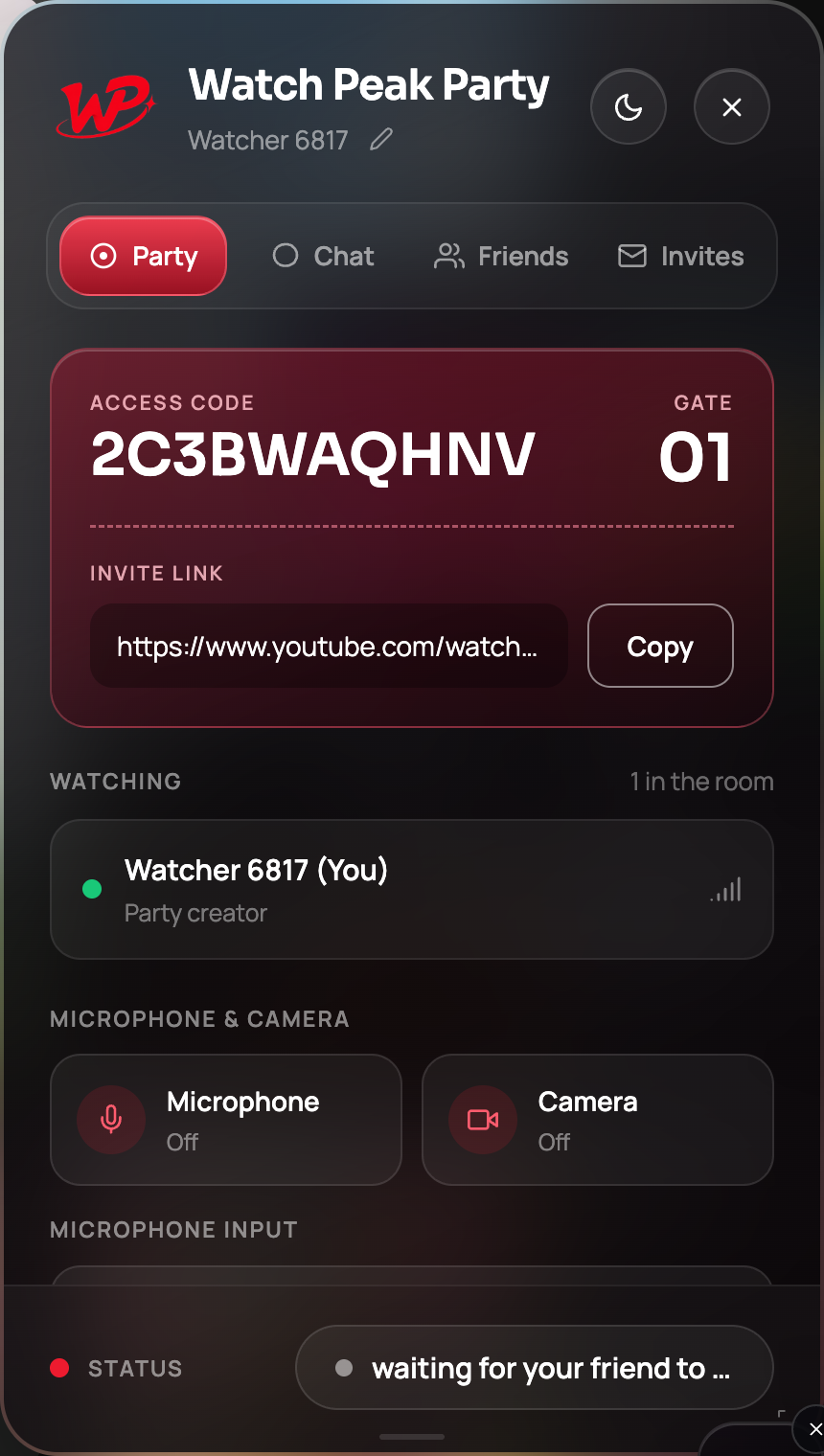
You are done when both players sit on the same frame and pausing on one side stops the other.
The max.com and hbomax.com question
Both hostnames are matched by the extension, and both URL shapes parse to the same canonical target,
so it does not matter which one you or your friend happened to have bookmarked. Because max.com
redirects to the HBO Max domain after the rename, the canonical link the party issues uses the destination —
which means the invite link survives the redirect rather than bouncing through it.
The practical version: paste whatever URL you have. If the party can identify the episode from it, the room points at the episode.
Some regional HBO-branded services run on entirely different
domains that are not the same product. The extension matches max.com and
hbomax.com; if you are on a local partner's site, it is out of scope and the badge will not
show.
Watching an hour-long drama together
HBO Max's catalogue skews to the kind of show where talking over the dialogue is actively rude, so the panel's defaults are the right ones here:
- Type, don't talk. Chat is free and unlimited, and it is silent.
- Collapse the panel. Click the badge to fold the panel away during a scene; click again to bring it back. The player is never resized either way, so nothing reflows.
- Push-to-talk for the gasps. Hold `, react, release. The microphone closes when you let go.

Common questions
Does it matter whether I use max.com or hbomax.com?
No. Both are matched, and both URL shapes resolve to the same room target, so an invite link works either way.
Does HBO Max have a built-in watch party?
Not as a general web feature at the time of writing. This extension works from the ordinary player and does not need one.
Can we watch on different plans?
Yes. Each side streams from their own account at their own quality.
Will an episode change break the party?
No. When one side moves to another episode the other follows the change and re-syncs, rather than the party ending.
One link. Same second. No screen sharing.
Watch Peak Party keeps YouTube, Netflix, Prime Video, Crunchyroll, Disney+, Hulu, HBO Max and JioHotstar in sync — with chat, voice and video built in.
Add to Chrome