
Short answer To watch JioHotstar together in sync, install the Watch Peak Party extension in both browsers, open the title so the URL ends in /watch, click the WP badge, press Start party and send the invite link. Each of you streams from your own JioHotstar account — only the position in the video is shared, so neither side loses picture quality.
Search for how to watch JioHotstar with a friend and you find the same thing over and over: people asking, and nobody answering. Screen sharing over a call is the usual suggestion, and it is genuinely bad — a re-encoded stream, audio out of step with the picture, and one person's data paying for both. The extension route is better for the same reason it is better everywhere: nothing is re-encoded, because nothing is shared but the timeline.
What you need
- Chrome 116 or newer, or another Chromium browser — Edge, Brave and Arc all
run it. That floor is
minimum_chrome_versionin the manifest, not a guess. - The extension in both browsers. Playback is kept in step by the extension running on each side, so the person you are watching with installs it too. It is the only thing either of you has to do more than once.
- Your own JioHotstar access. A party shares the position in a video, never the video itself and never your session. You each sign in to your own account.
- Both of you in a region where the title plays. JioHotstar's catalogue is strongly regional. The party shares a position, not a licence.
The walkthrough
-
Open the title in the player
Press play so the address ends in
/watch— JioHotstar's watch URLs carry a numeric id followed by that segment, with a variable number of slug parts in front of it. The extension keys on the id and ignores the slug, which is why a link you were sent from a different regional path still resolves to the same thing.Both
hotstar.comandjiohotstar.comare matched, so it does not matter which one you are on. -
Click the WP badge
The badge floats over the corner of the window. Drag it if it lands on a control.

The badge. Click to open the panel, click again to collapse it. -
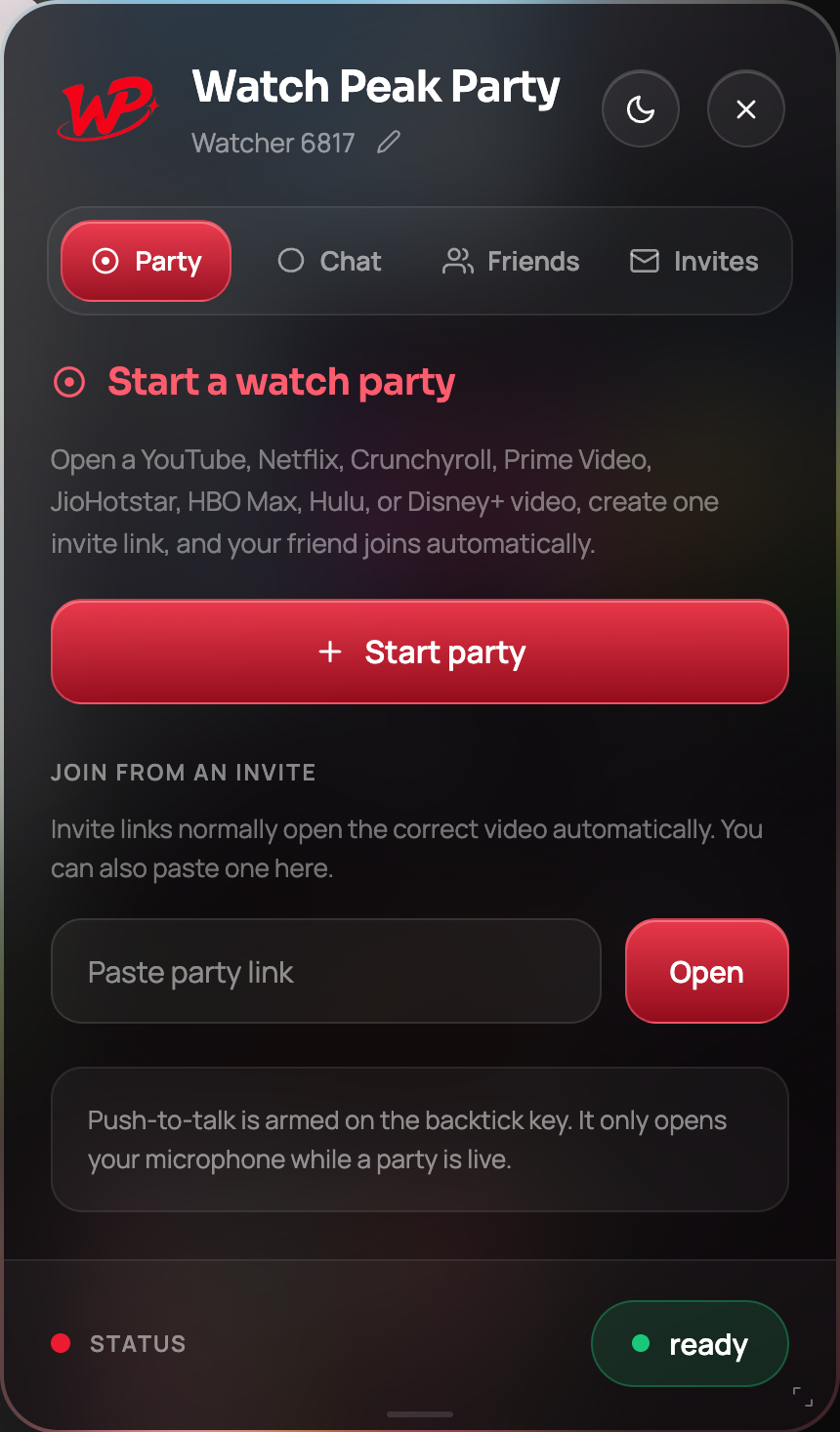
Press Start party
The room is created against the title in this tab.
-
Send the invite link
Copy it and send it on whatever you already use. They click once and they are in.
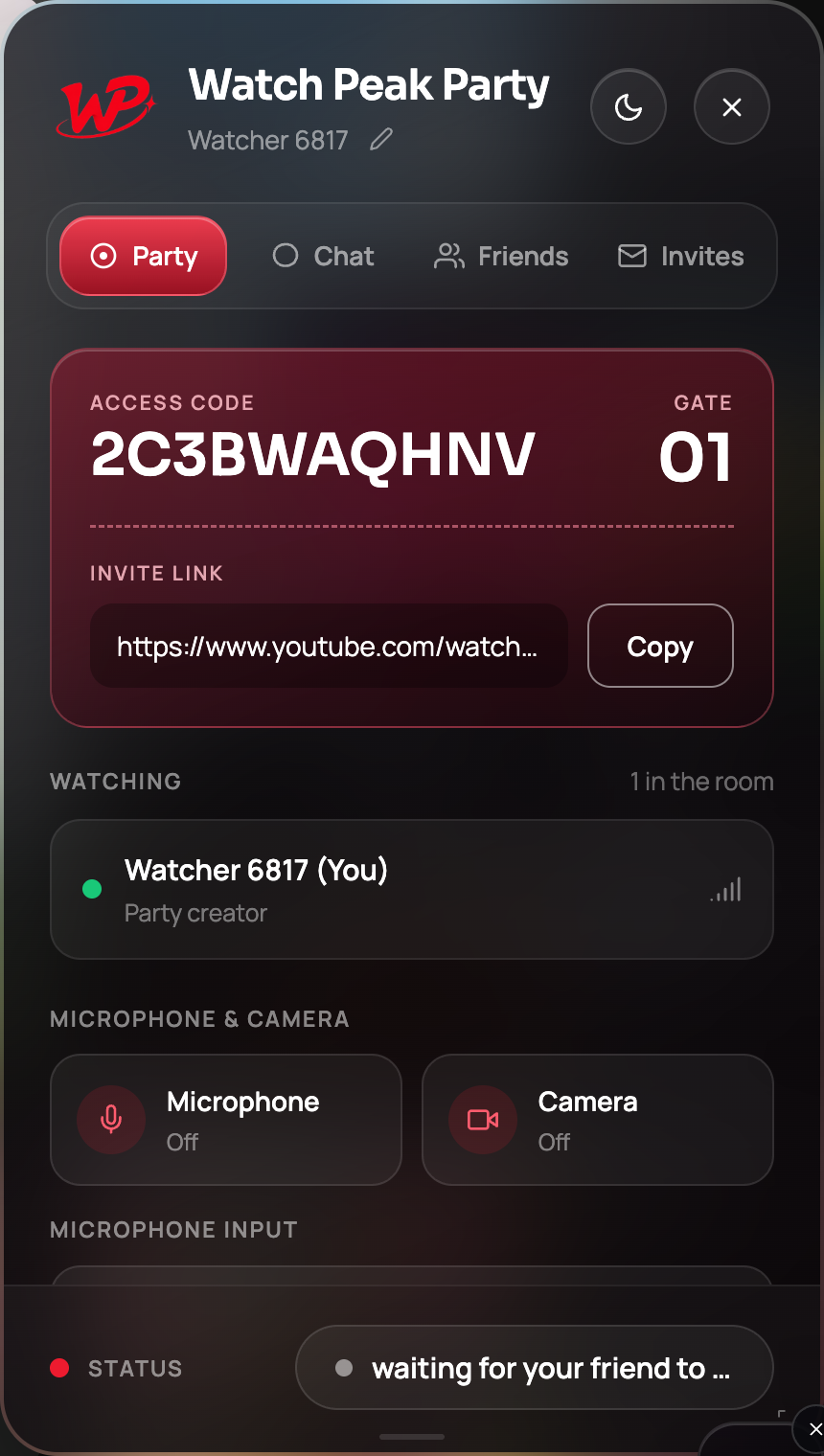
The link identifies the title and the room, and carries nothing about your account.
You are done when the Watching list shows both of you and a pause on either side stops the other within about a second.
A note about live cricket
This is the JioHotstar-specific caveat, and it is a real one. A live match has no shared timeline: a live stream's position is whatever each viewer's edge server hands them, and two viewers are routinely tens of seconds apart before anything synchronises them. There is no position for a party to agree on.
So: on-demand titles, highlights and full replays sync properly. A live match does not, and no extension can honestly claim otherwise. What still works during a live match is the chat, the voice and the camera — which, if you have ever wanted to watch a match with someone in another city, is most of what you wanted.
Watch the replay together. A full-match replay is an on-demand title with a real timeline, so it syncs like anything else — and nobody has to pretend they did not already see the score.
Why this beats screen sharing on a call
| Screen share over a call | Watch Peak Party | |
|---|---|---|
| Picture | Re-encoded, usually 720p or worse, and it degrades when the network dips | Each side's own native stream, at their own quality |
| Audio sync | Drifts against the picture | Each side plays its own audio, so it cannot drift against its own video |
| Data | One person's connection carries the video for both | Each side streams normally |
| Control | Only the sharer can pause | Either person can pause, play or scrub |
The gap is widest exactly where JioHotstar matters most — a long film on an ordinary home connection.
Common questions
Does it work on both hotstar.com and jiohotstar.com?
Yes. Both hostnames are matched by the extension, and watch URLs on either resolve to the same room target.
Can we sync a live cricket match?
No. A live stream has no shared position — two viewers are handed different points in the stream. On-demand titles and replays sync normally, and chat, voice and camera work during a live match.
Do we both need a JioHotstar subscription?
Each of you needs your own access to the title. The party synchronises playback; it does not grant entitlement.
Does it work in the JioHotstar mobile app?
No. Both sides need a Chromium desktop browser, because that is where the extension runs.
Is my account information sent anywhere?
No. The room stores a title id and two anonymous participants. The extension does not read your profile or your viewing history.
One link. Same second. No screen sharing.
Watch Peak Party keeps YouTube, Netflix, Prime Video, Crunchyroll, Disney+, Hulu, HBO Max and JioHotstar in sync — with chat, voice and video built in.
Add to Chrome