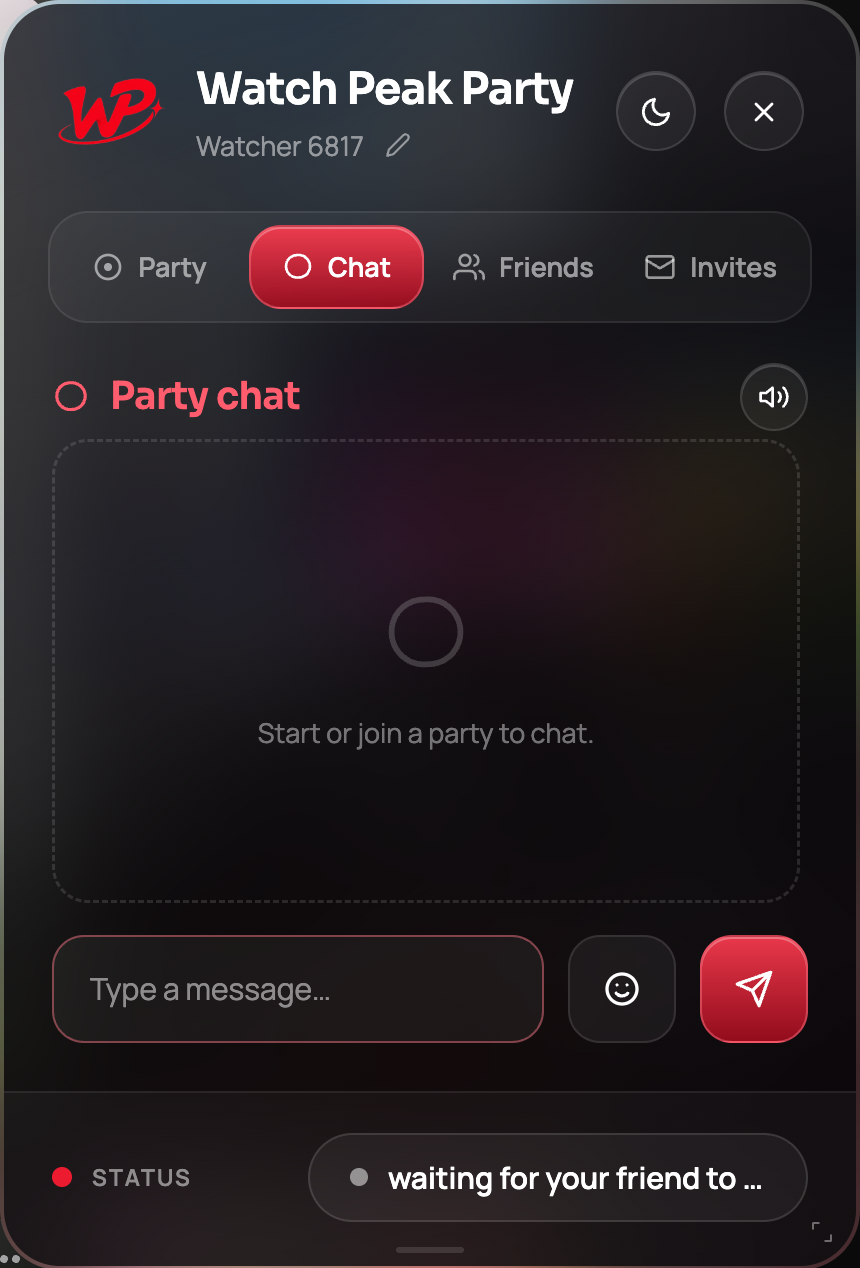
Short answer Chat is unlimited and free; type in the composer on the Chat tab and mute the sound if it distracts.
The instinct with a shared film is to get on a call. The instinct is usually wrong. Voice competes with the thing you are both trying to hear, forces a response, and makes silence awkward — whereas a typed line can be read in a gap and ignored during a good scene. Chat is the register a film wants.
The composer, and the two controls beside it
The Chat tab is a message list and a composer. Two things sit next to the input: an emoji picker and the send button. A message is capped at a few hundred characters, which is not a limitation so much as a hint about what chat during a film is for.
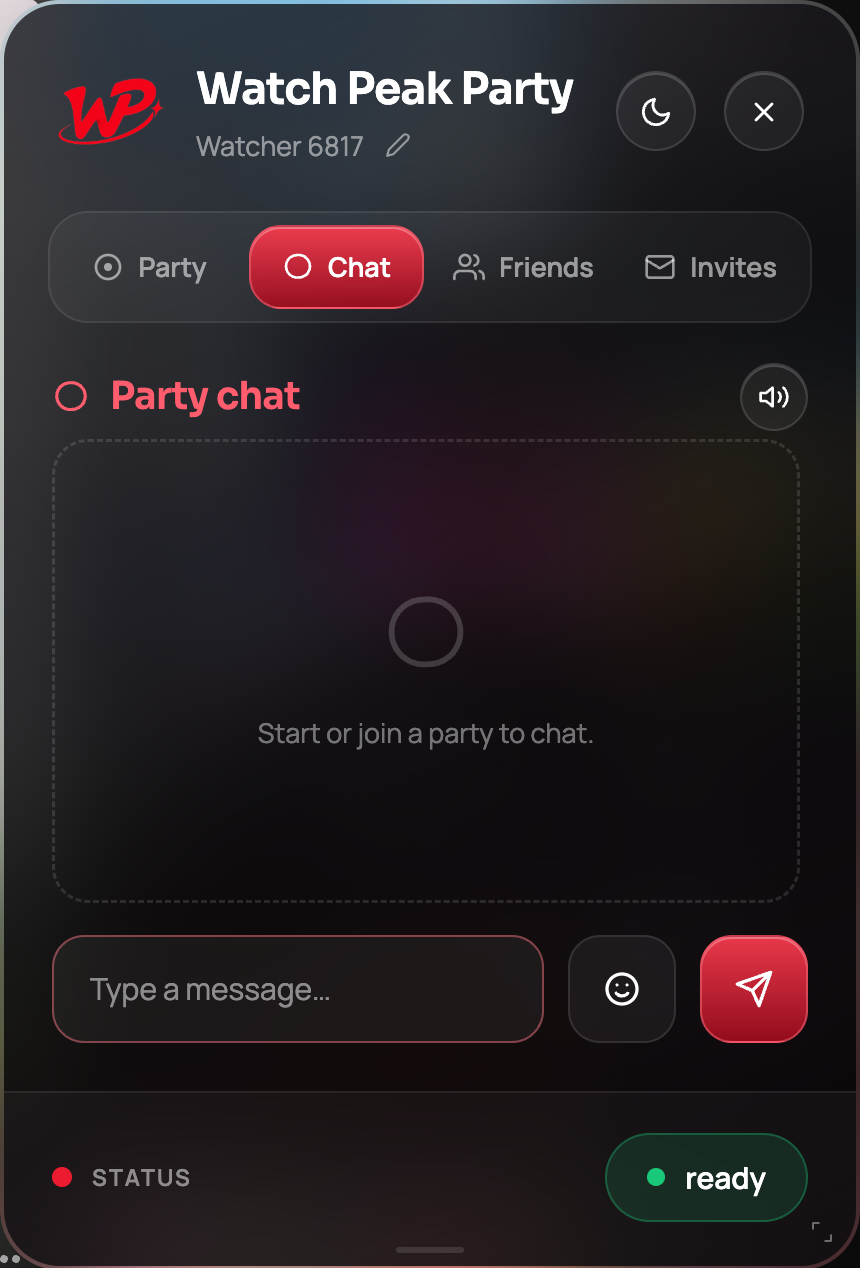
There is a mute toggle for the notification sound in the tab's header. On a tense film, turn it off — a ping during a quiet scene is worse than a late reply.
Why typing here does not control the video
The single most useful property of this chat box: what you type stays in it. On YouTube alone, k pauses, j and l jump, m mutes, f goes fullscreen and the number keys jump to percentages of the video. Netflix, Prime and the rest each have their own set.
The panel holds onto keystrokes while you are typing, so the page never sees them. You can write the word "knock" without pausing, muting and jumping. When you are not typing, all of the site's shortcuts work exactly as they always did.
The push-to-talk key is ignored while you are typing, so a backtick in a message is a backtick, not an open microphone.
Choosing between chat, push-to-talk and an open mic
| Situation | Use |
|---|---|
| First watch of something with dialogue you care about | Chat |
| Subtitled film or anime | Chat — you are already reading |
| A reaction that needs a voice | Push-to-talk: hold, react, release |
| A rewatch, or a comedy | Open microphone |
| Watching with someone in a shared house | Chat, and they can wear headphones |
There is also a practical reason to default to chat: it is unlimited and free, whereas voice and video minutes are metered with a weekly free allowance. Chat costs nothing, ever.
What survives and what does not
The conversation belongs to the room. It survives a video change — including autoplay rolling you into the next episode — because the room does. It does not survive the party: when you leave, the room is gone and so is the chat. There is no transcript, no history and no archive, which is a deliberate choice rather than a missing feature.
Common questions
Is chat free?
Yes — unlimited and free, always. Voice and video minutes are the metered part of the product.
Does typing pause the video?
No. The panel keeps keystrokes to itself while you are typing, so the site’s own single-key shortcuts do not fire.
Is chat history saved anywhere?
No. The conversation lives as long as the room does and is not stored afterwards.
Can I turn off the message sound?
Yes, with the toggle in the Chat tab header.
Does chat survive changing the video?
Yes. The room survives a video change, so the conversation does too.
One link. Same second. No screen sharing.
Watch Peak Party keeps YouTube, Netflix, Prime Video, Crunchyroll, Disney+, Hulu, HBO Max and JioHotstar in sync — with chat, voice and video built in.
Add to Chrome