Short answer Hold the backtick key to talk, release to stop. Change the key in the toolbar popup.
Voice chat during a film has an obvious problem that group-call software never solved: the interesting part of a film is quiet, and an open microphone is not. Push-to-talk inverts the default — silence unless you are actively saying something — and it is the difference between a shared film and a phone call with a film on in the background.
Turning it on
-
Open the toolbar popup
Click the extension's icon in the Chrome toolbar. This is the only settings surface in the product — the panel on the video page is for running the party, the popup is for the two things that are global.
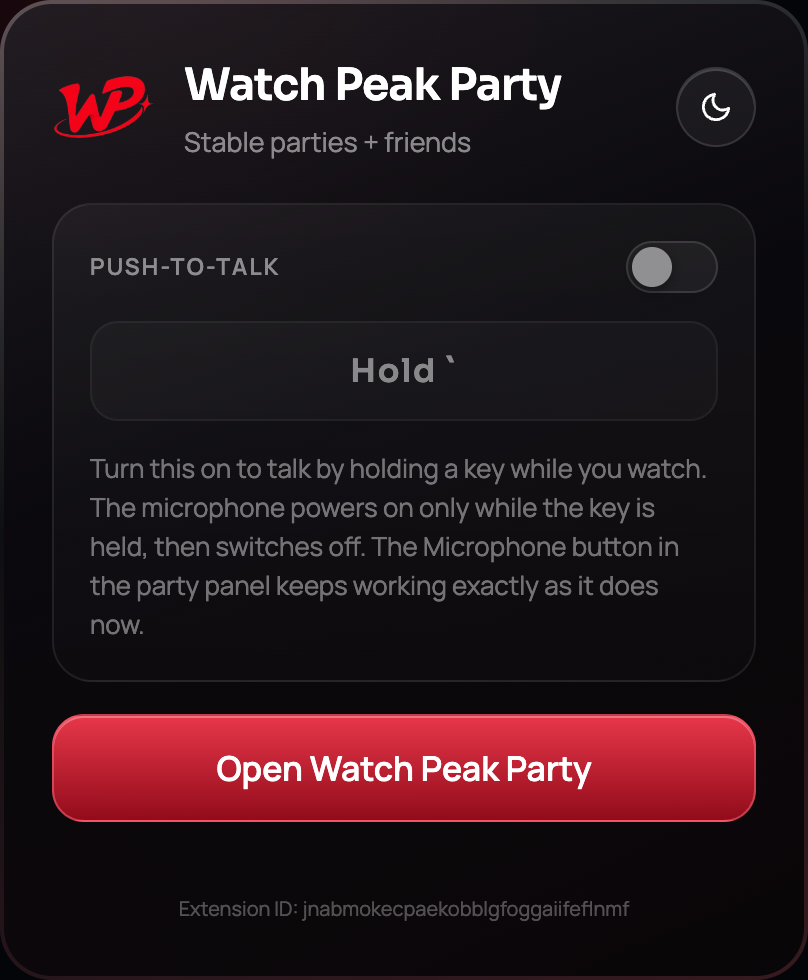
The Push-to-Talk switch in the toolbar popup. -
Switch it on and check the key
The default binding is the backtick key ` — the one above Tab on most layouts. It is the default for a specific reason: it is unbound in every player the extension supports, so holding it never triggers the site's own shortcut. YouTube alone claims k, j, l, m, f, c and the number keys; backtick is one of the few things left.
-
Rebind it if backtick is awkward
Some keyboard layouts put backtick somewhere unhelpful. Record a different key in the popup. A single key is better than a combination here — you are going to hold it while talking, and a chord is tiring — but modifiers are accepted if you want one.
-
Start or join a party
Push-to-talk does nothing outside a live party. There is no state in which pressing the key opens your microphone without a party running, which is the property that makes it safe to leave armed.
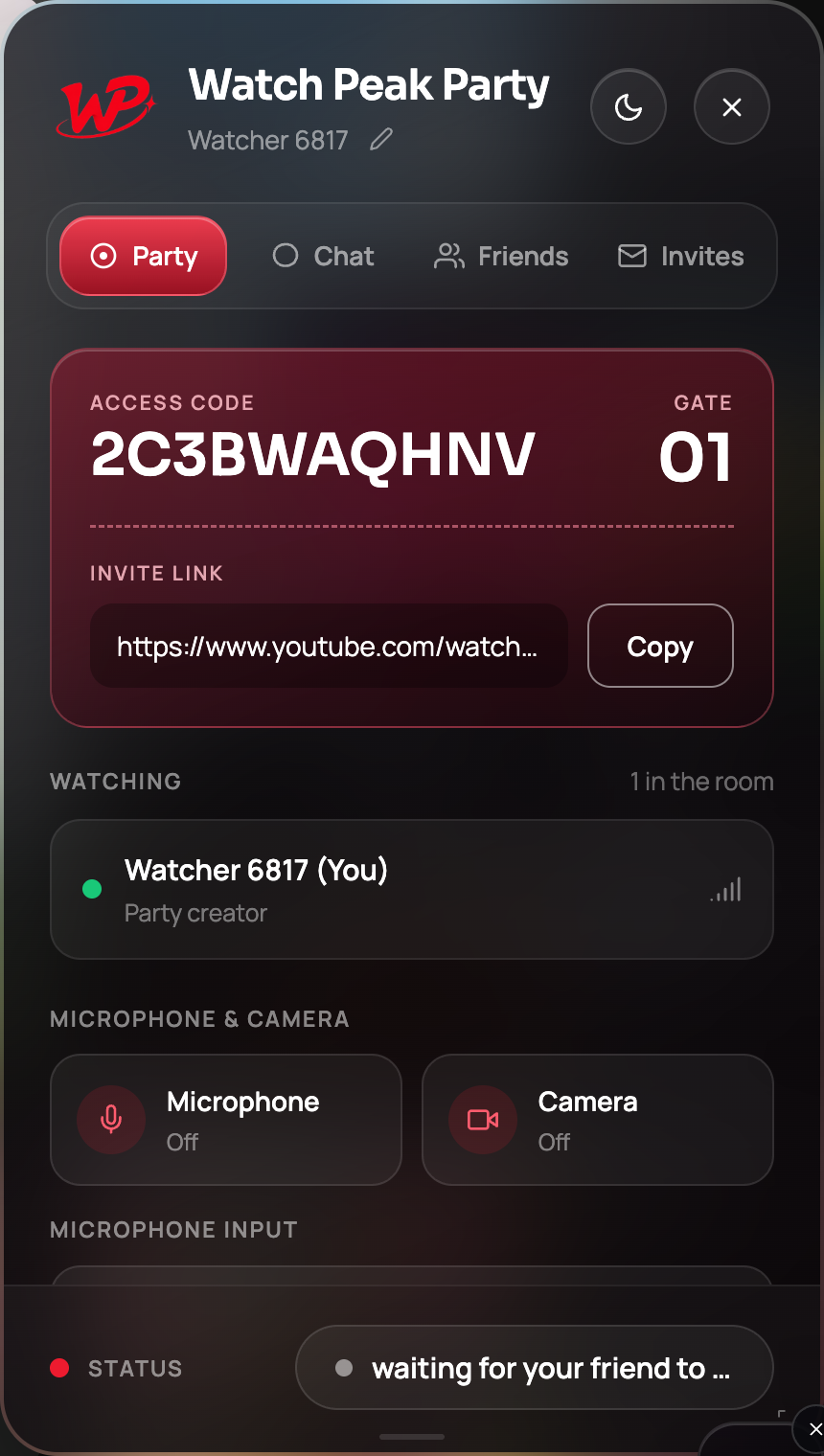
The Microphone button shows the current state. Push-to-talk drives the same switch.
It is working when holding the key flips the Microphone status from Off to on for exactly as long as you hold it, and the other person hears you only during that window.
Why it is a held key, not a toggle
This is a genuinely interesting constraint. Chrome's own extension shortcut mechanism reports only key-down, never key-up — it can express "toggle the microphone" but it physically cannot express "open the microphone while held". A held key needs a key-down and a key-up pair, and the only place in the browser that sees both is a script running in the page.
That is why push-to-talk is implemented in the content script rather than as a browser command, and it is why it works on the video page rather than globally across Chrome. The trade-off is worth it: a toggle you forget to switch off is exactly the failure push-to-talk exists to prevent.
The key is ignored while you are typing — including into the panel's own chat box. Writing a backtick in a message writes a backtick.
When an open microphone is the better choice
Push-to-talk is not always right. The two registers, honestly compared:
| Push-to-talk | Open microphone | |
|---|---|---|
| Best for | First watch of a film, anything subtitled, anything with dialogue you care about | A rewatch, a comedy, background TV, a conversation with a film on |
| Default state | Closed | Open |
| Failure mode | You start a sentence before pressing the key | Two hours of ambient noise |
| How to use it | Hold the key while speaking | Press the Microphone button once |
The Microphone button and push-to-talk drive the same switch, so you can hold the key for most of a film and press the button when the conversation genuinely starts.
Choosing an input, and what is metered
Turn the microphone on once and the device picker populates — Chrome does not reveal device names until permission has been granted at least once, which is why the list looks empty before then. Pick a device and it is remembered.
The one commercial detail worth stating plainly: parties, invites, friends and text chat are unlimited and free. Voice and video are the metered part — there is a weekly allowance of free voice and video minutes, and Premium removes the limit. Push-to-talk is a good way to spend less of it, since the microphone is only open while you are actually talking.
Common questions
Why is the default key backtick?
Because it is unbound in every player the extension supports, so holding it never fights the site’s own keyboard shortcuts.
Can I use push-to-talk outside a party?
No. The key does nothing unless a party is live, which is what makes it safe to leave armed.
Does it work while the video is fullscreen?
Yes. The key is handled by the script running on the page, and fullscreen is still that page.
Does holding the key type the character?
Not into the page. And the reverse is also true: when you are typing in the chat box, the key is treated as a character, not as push-to-talk.
Is voice chat free?
There is a weekly allowance of free voice and video minutes; Premium makes it unlimited. Text chat and the parties themselves are always free.
One link. Same second. No screen sharing.
Watch Peak Party keeps YouTube, Netflix, Prime Video, Crunchyroll, Disney+, Hulu, HBO Max and JioHotstar in sync — with chat, voice and video built in.
Add to Chrome