Short answer Sign in, swap friend codes once, then use the Invite button beside their name.
Everything else in this product works without an account, on purpose — a party is two clicks and a link, and asking someone to register before they can watch a video with a friend is how you lose them. Friends is the one feature that cannot work that way: remembering a person requires knowing who you are.
Setting it up once
-
Open the Friends tab and sign in
Press Continue with Google. Sign-in happens in a proper browser window, not in a form inside the panel — the extension never handles your password.
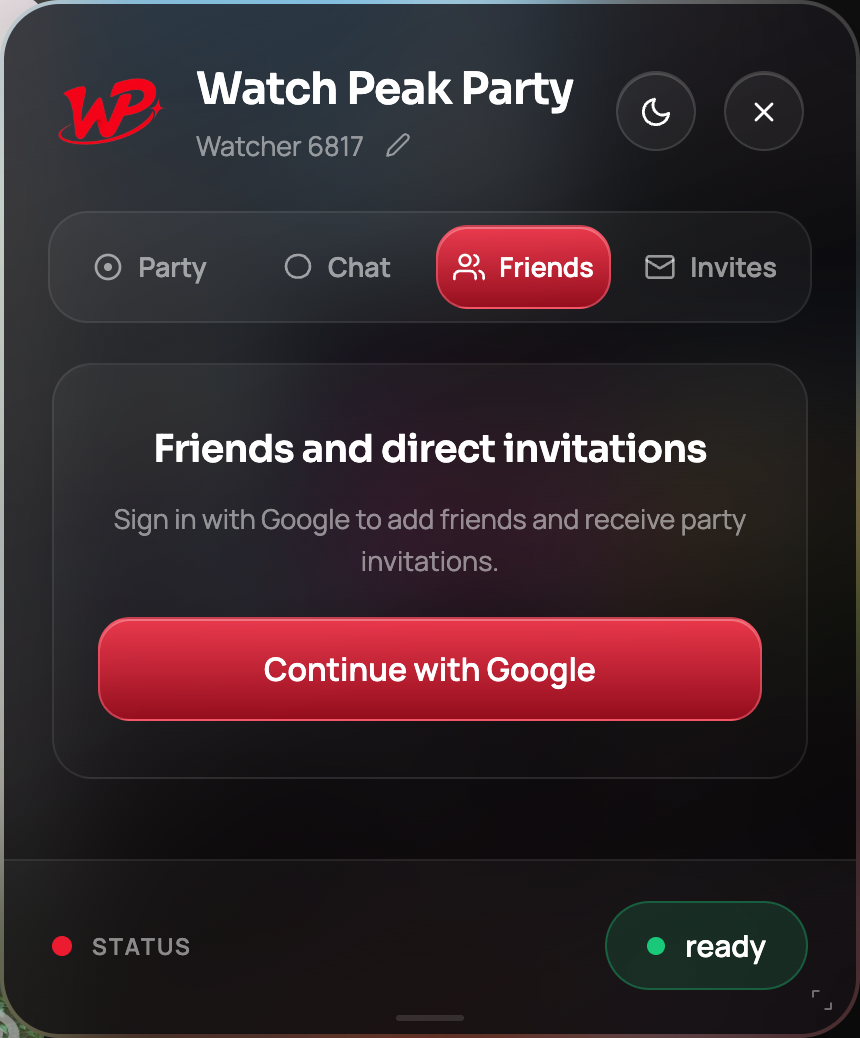
The Friends tab before signing in. Parties and chat need none of this. -
Copy your friend code
Once signed in, the tab shows your profile and your friend code — twelve characters in the form
XXXX-XXXX-XXXX, with a Copy button. Send it to the person you want to add, however you like.The code identifies you for friend requests and nothing else. It is not a room code and it is not a password; there is nothing you can do with someone's friend code except ask to be their friend.
-
Add them with theirs
Paste their code into Add a friend and press Send. If they have already sent you one, the two requests cancel out and you are friends immediately — the panel tells you so.
-
They accept
An incoming request appears under Requests on their Friends tab with Accept and Decline. Nothing happens to anyone's account until they accept.
You are set up when each of you appears in the other's Friends list with an Invite button beside your name.
Inviting them into a party
Start a party as usual, then open the Friends tab and press Invite beside their name. On their side the invitation appears on the Invites tab, carrying who sent it and what is playing, with Join and Decline. The tab grows a count badge so an invitation cannot sit there unnoticed.
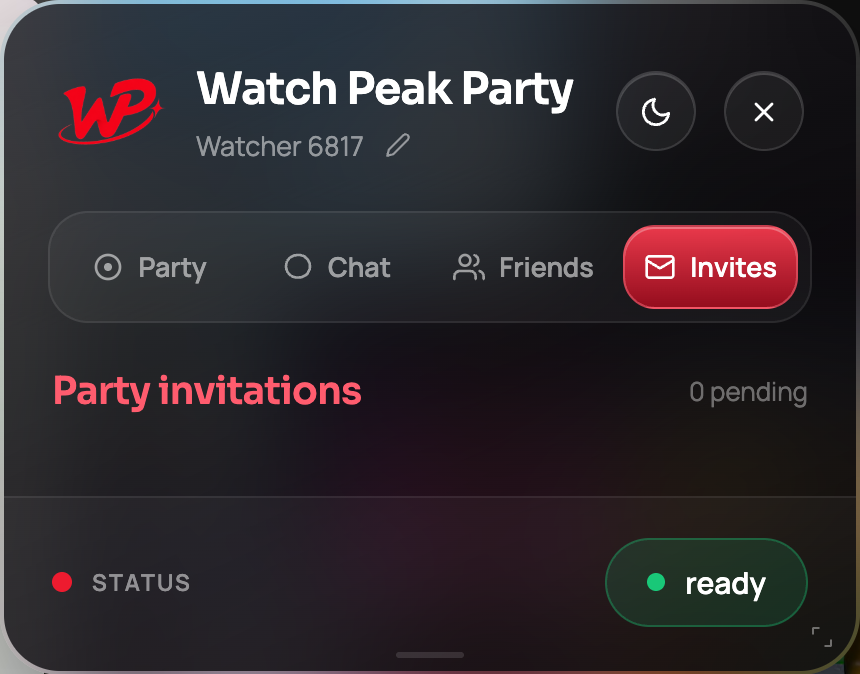
If Chrome notifications are allowed, they also get a desktop notification — which is the point of the whole feature. An invitation that only exists inside a panel on a tab they are not looking at is not an invitation.
The Friends tab reports the state plainly — active, being set up, or blocked. If they are blocked, invitations still arrive on the Invites tab; you just have to look.
What signing in does and does not give us
Since this is the one feature with an account attached, it is worth being specific about what that account is for:
| What it is used for | What it is not used for |
|---|---|
| Knowing which friend list is yours | Reading anything on the pages you visit |
| Delivering invitations to the right person | Recording what you watched |
| Showing your display name to the person you are watching with | Advertising, profiling or sharing with anyone |
| Unlimited voice and video on Premium | Anything at all if you never sign in |
Sign-in is also what a metered feature needs: voice and video minutes are counted against an account, so unlimited voice on Premium requires being signed in. Parties, invite links and chat never do.
Removing people, and declining things
Remove beside a friend deletes the relationship from both sides — there is no one-sided friendship to explain. Declining a friend request or an invitation is silent: the other person is not told they were declined, which is the kinder default.
Sent requests that nobody has answered are shown as a count on your own tab, so you can tell the difference between "they said no" and "they have not looked".
Common questions
Do I need an account to run a watch party?
No. Parties, invite links and chat work with no account at all. Friends and Invites are the only features that need sign-in.
What is a friend code?
A twelve-character identifier in the form XXXX-XXXX-XXXX that other people use to send you a friend request. It is not a password and not a room code.
Can someone add me without my permission?
They can send a request, which you accept or decline. Nothing happens until you accept.
Will I get a notification for an invitation?
If Chrome notifications are allowed, yes. Either way the invitation appears on your Invites tab with a count badge.
Does removing a friend tell them?
The relationship disappears from both sides. There is no announcement.
One link. Same second. No screen sharing.
Watch Peak Party keeps YouTube, Netflix, Prime Video, Crunchyroll, Disney+, Hulu, HBO Max and JioHotstar in sync — with chat, voice and video built in.
Add to Chrome