
Short answer Send the invite link. If a chat app breaks it, paste it into the "Paste party link" field instead.
There is a strong convention in group-video tools: create a room, get a code, read the code out, everyone types it in. It exists because those tools have to work on phones, TVs and consoles, where a link cannot be clicked. A browser extension has none of those constraints, so the room code can go back to being what it actually is — an identifier — and the link can do the whole job.
What the link actually contains
Two things: which room, and what you are watching. That second part is the one people do not expect, and it is what removes a step from the other person's side — their browser lands on the right video and attaches to the room, rather than landing on the room and asking them to find the video.
What it does not contain is anything about you. Not your account, not a session token for the streaming service, not your viewing history. If you paste an invite link into a text editor you can read the whole thing; there is nothing in it you would mind reading.
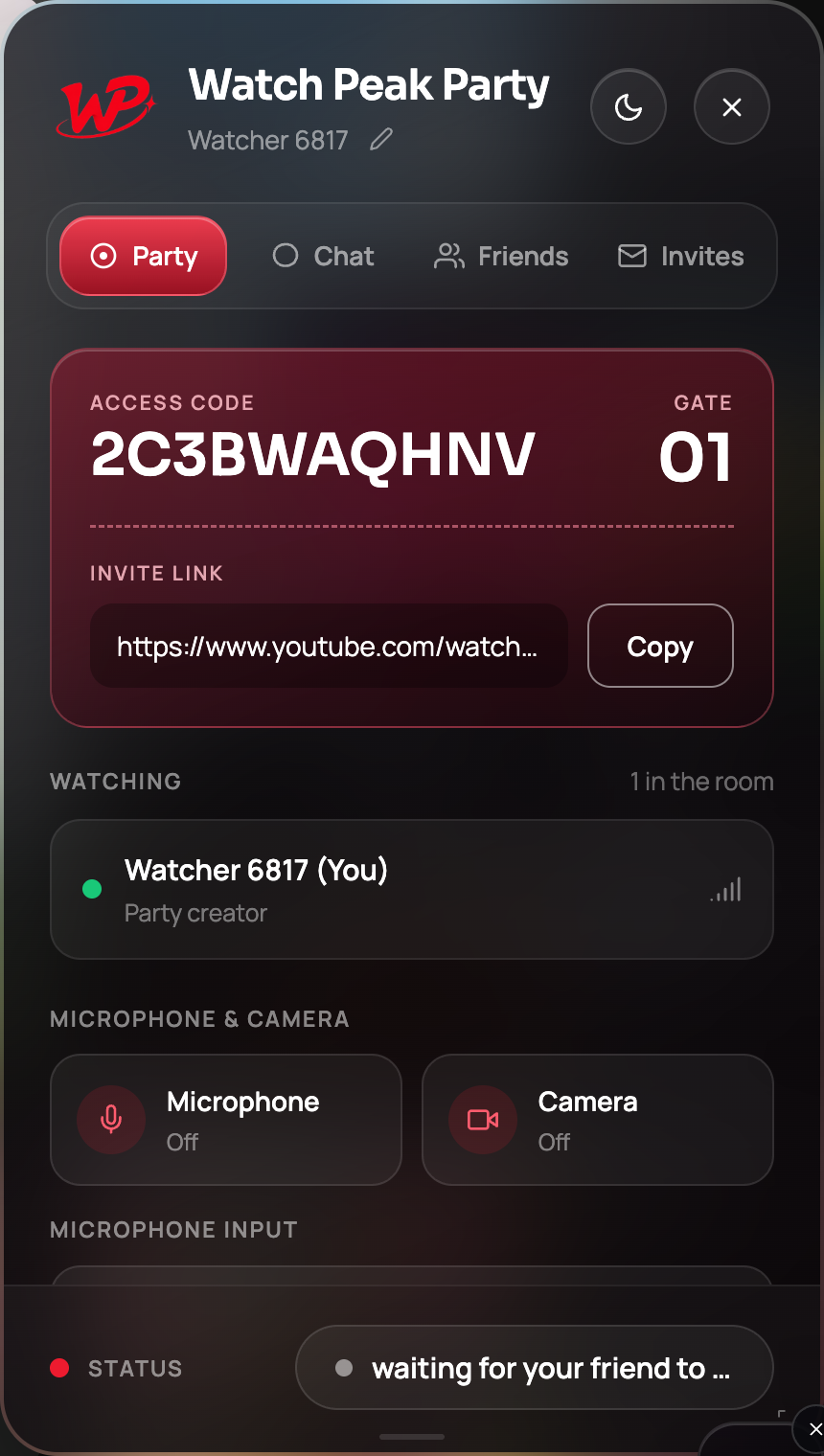
There is nowhere in the extension to type an access code, and it is not a password. It identifies the room in the interface — nothing more. If you were told to send somebody "the code", send them the link instead.
Sending it, and what happens on their side
-
Press Copy
Press Copy beside the link on the Party tab. The button confirms in place, so you do not have to wonder whether the clipboard took it.
-
Paste it wherever you already talk
WhatsApp, Discord, iMessage, email, a shared document — it is a plain URL, so anything that carries URLs carries it.
-
They click it once
If they have the extension, the video opens and the panel attaches to the room by itself. There is no join button to hunt for. If they do not have it, they are sent to install it first, and the link still works once they do.
It worked when your status pill changes from waiting for your friend to join to party connected and the Watching list shows two people.
When a chat app breaks the link
Some apps shorten URLs, wrap them in a preview, or open them in an in-app browser that has no extensions in it. That last one is the common failure, and it looks like the link "not working" when in fact it opened somewhere the extension does not exist.
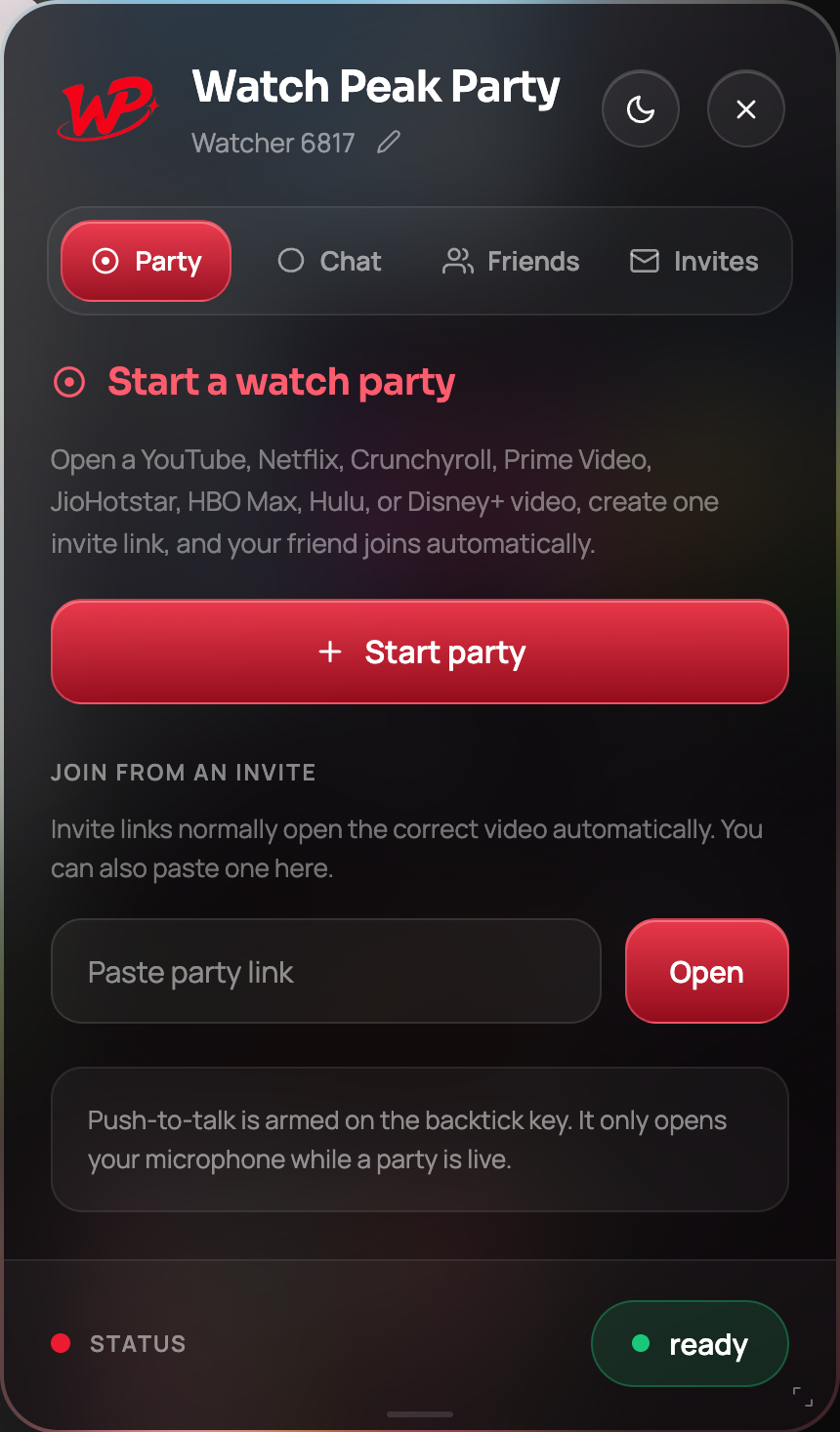
The fix is the field on the Party tab: Paste party link. Tell them to copy the link, open a normal Chrome window, click the WP badge, paste it there and press Open.
| What went wrong | What to do |
|---|---|
| The link opened in an app’s built-in browser | Copy it, open Chrome, paste it into Paste party link |
| The link arrived broken across two lines | Rejoin the pieces, or just send it again in a code block |
| They have not installed the extension yet | The link sends them to install it; it works afterwards |
| They opened it much later and the room had closed | Start a new party and send the new link |
The other way in: a direct invite to a friend
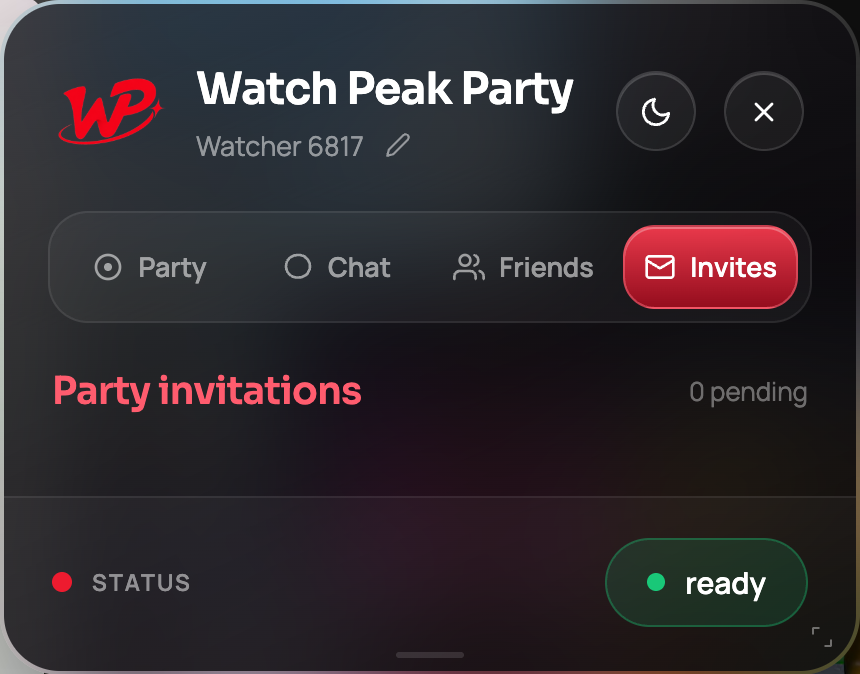
If you watch with the same person regularly, you can skip the copy-and-paste entirely. Sign in on the Friends tab, add each other once, and after that the Invite button beside their name sends the invitation straight to their Invites tab, where it appears with the title you are watching and a Join button.
This is the one place a code is typed, and it is not a room code: it is your friend
code, in the form XXXX-XXXX-XXXX, which you swap once to become friends and then never
again. There is a full walkthrough in the friends and invites
guide.
Who can join with the link
Anyone who has it, which is the trade-off a link-based join makes: no code to type means no code to get wrong, and it also means the link is the credential. Two things bound the risk:
- A room holds two people. The server refuses a third — the party is full at two, which is why the panel calls it a gate of 01. Someone who gets your link after your friend has joined cannot get in.
- A room is not a library. It exists for the session. An old link is not a standing invitation to your evenings.
Treat an invite link the way you would treat a video call link: fine to send to the person, not something to post publicly.
Common questions
Where do I type the access code?
Nowhere. There is no field for it. The access code is a label that identifies the room in the panel; joining is done entirely by the invite link.
Can I reuse an invite link tomorrow?
No. A room exists for the session. Start a party again and send the new link — it takes about fifteen seconds.
Does the link contain my account details?
No. It identifies the room and the video. Nothing about your streaming account or your identity is in it.
What if I send the link to the wrong person?
Leave the party. The room stops accepting anyone, and starting a new party issues a new link.
Can three people use one link?
No. The server rejects a third participant — a room is built for two.
One link. Same second. No screen sharing.
Watch Peak Party keeps YouTube, Netflix, Prime Video, Crunchyroll, Disney+, Hulu, HBO Max and JioHotstar in sync — with chat, voice and video built in.
Add to Chrome