Short answer Discord wins on voice and being where everyone already is; a party wins on picture quality and control.
If your friends are on Discord, streaming a film there is the path of least resistance — the server exists, the voice channel exists, nobody installs anything. That convenience is worth real money, and any comparison that pretends otherwise is selling something. What it costs is picture quality, and the cost is larger than most people notice while it is happening.
They are not the same mechanism
Discord's Go Live re-encodes what is on one person's screen and sends it to everyone else. A watch party sends nobody any video: each person streams their own copy from the service, and only the position in it is shared. Every practical difference follows from that.
| Discord stream | Watch party | |
|---|---|---|
| What is transmitted | One re-encode of the streamer's screen | A position and a play state |
| Picture | Capped by the encode and the streamer’s upload | Each viewer's own native stream |
| Who pays the bandwidth | The streamer, all evening | Each person, for their own stream |
| Audio and picture alignment | Can drift, and cannot be fixed from either end | Each side plays its own pair, so it cannot drift |
| Who can pause | The streamer only | Either person |
| Subtitles | The streamer's choice, for everyone | Personal to each viewer |
| Setup | Nothing, if you are already there | An extension on both sides, once |
| Group size | A whole voice channel | Two people |
That last row is a real limitation of ours and worth being upfront about: a room holds two. If you want eight people watching one thing, a party is not what you want.
Where Discord actually hurts
Not in the average shot — in the hard ones. A dark scene, a slow pan, snow, rain, film grain: anything with fine detail across the whole frame is what a low-bitrate re-encode destroys first. You get banding in shadows and a soft, smeary look in motion, and it arrives exactly during the shots a director cared about.
Two further costs that are easy to miss:
- The streamer's machine is doing work. Capturing and encoding video while decoding it competes for the same resources, so the person hosting often gets the worst playback in the room.
- Their upload is saturated for hours. Which also degrades their own voice quality — the thing Discord was good at.
Where Discord straightforwardly wins
- Group voice. Discord's voice stack is excellent and built for many people at once. Nothing here competes with that for a group of six.
- More than two viewers. A watch party room holds two people. Discord does not care.
- When only one person has the film. A party cannot lend access; it synchronises playback that both sides already have.
- Nobody has to install anything. For a one-off with people you will not do this with again, that is decisive.
For two people watching something properly, a party. For a group hanging out with something on, Discord. For two people who want both — run the party for playback and stay in the Discord call for voice, but do not also stream your screen.
Running both together
This is a genuinely good configuration and worth spelling out. Keep the Discord voice channel for talking, and use the party for playback. Each person gets a native-quality picture, and you keep the voice stack you already like.
Two cautions. Do not share your screen as well — you take the entire bandwidth cost and gain nothing. And turn off Discord's notification sounds, because a ping during a quiet scene is precisely the thing you were trying to avoid.
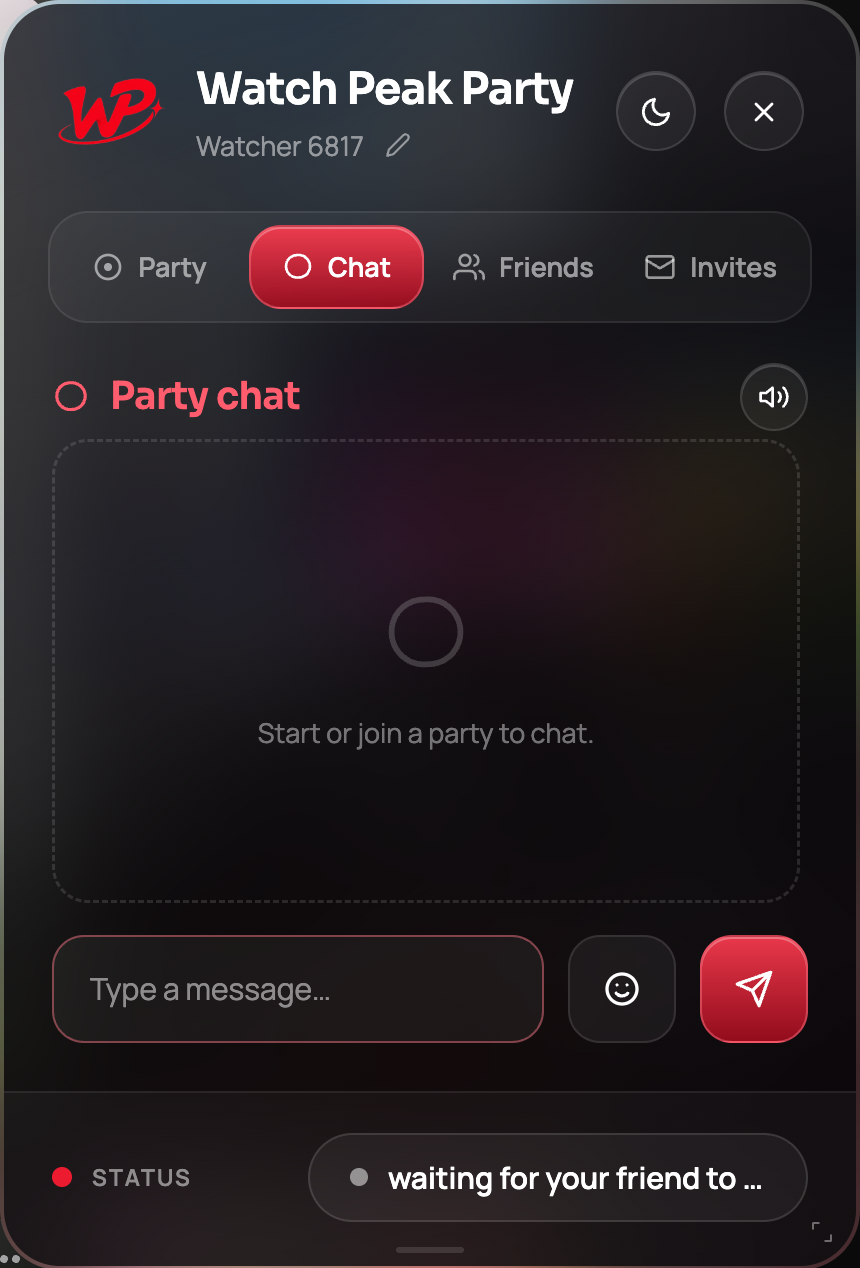
If you would rather not run two things, the panel has voice and camera built in, with push-to-talk on a single key so the microphone is only open while you are actually speaking.
Common questions
Is Discord streaming bad quality?
It is a re-encode of one screen, so it is capped by that encode and the streamer’s upload. It suffers most on dark and high-motion scenes.
Can more than two people join a watch party?
Not in Watch Peak Party — a room holds two. For a larger group, Discord is the better fit.
Can I use Discord voice with a watch party?
Yes, and it works well. Keep the voice channel, run the party for playback, and do not share your screen as well.
Does a watch party need me to upload anything?
No. The messages are tiny. Nobody uploads video.
One link. Same second. No screen sharing.
Watch Peak Party keeps YouTube, Netflix, Prime Video, Crunchyroll, Disney+, Hulu, HBO Max and JioHotstar in sync — with chat, voice and video built in.
Add to Chrome